
TV aerial boosters — sometimes called signal amplifiers — are easy to buy and easy to use for the wrong fault. Sometimes amplification is useful. Sometimes it overloads equipment or simply makes a poor-quality signal larger. The sensible answer comes from the receiving system, measured level and quality, cable/distribution losses and the exact fault rather than the word “booster” on a box.
What a booster actually does
A booster is an amplifier. It takes whatever signal comes in and increases the level going out. That's it. It has no idea whether the incoming signal is clean, distorted, weak or full of interference — it just makes it bigger.
This matters because Freeview reception isn't only about signal strength. It's also about signal quality. Amplifying a poor-quality signal gives you a bigger, poor-quality signal — which is exactly why boosters often cause the pixelation homeowners are trying to cure. If your picture is already breaking up, our pixelation troubleshooting guide walks through the real causes.
When a booster genuinely helps
- Long cable runs. Coax loses signal over distance. If a TV is at the end of a 30m run through a large house, a properly sited amplifier can restore what the cable took away.
- Multi-room distribution. Splitters and longer cable routes introduce loss. A distribution amplifier can be appropriate when the measured input, signal quality, number of outputs and calculated or measured downstream losses justify it; the loss is not one universal “half the signal per room” rule.
- Genuinely weak but clean signal. In some rural pockets of East Cheshire, the signal from Winter Hill is low but not corrupted. A masthead amplifier — fitted at the aerial, not next to the TV — lifts it before cable losses eat into it.
When a booster makes things worse
- Already-strong or excessive signal. Freeview warns that too much signal can overload receiving equipment, and an unnecessary amplifier can contribute to that problem. Whether a particular Stockport or Manchester address is strong enough to overload cannot be decided from the town name alone; check the actual installation and measurements.
- Aerial faults. If the aerial is corroded, waterlogged or mispointed, a booster amplifies the noise as well as the signal — no improvement, sometimes actively worse.
- Interference from nearby 4G/5G masts. A wideband booster with no filter will happily amplify mobile-network interference straight into your Freeview receiver.
- Cheap indoor set-back boosters. Placed next to the TV, they amplify all the noise picked up on the wall socket and fly lead. The improvement is usually small and short-lived.
Booster vs masthead amplifier — the important difference
An indoor set-back amplifier sits after the cable run, so it cannot recover signal quality already lost through a damaged aerial, poor connection, interference or excessive upstream loss. It can be useful in a designed distribution system, but its location and gain should follow the measured problem rather than a blanket “near the TV is bad” rule.
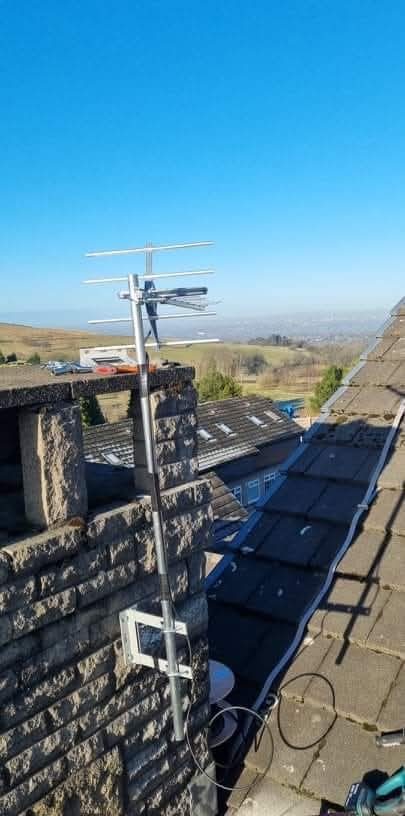
A masthead amplifier is installed close to the aerial and can be useful where a clean but insufficient signal needs amplification before significant cable or distribution loss. It is not automatically the right answer: input level and quality, gain, noise figure, overload headroom, filtering, cable loss and the number of outlets all matter. The correct amplifier type and position follow the measured system rather than a fixed masthead-versus-indoor rule.
How to know whether you actually need one
Start with the current Freeview reception and amplifier guidance and the address-specific Channel Checker, then measure signal level and quality at useful test points. Freeview notes that amplifiers and splitters can themselves cause reception problems or overload equipment. If mobile-service interference is suspected, follow current Restore TV guidance because filter position changes when an amplifier is present. Diagnose the receiving system before adding gain; transmitter services and multiplex availability vary by address and transmitter.
Practical checks before buying one
- Check current Freeview information before retuning. Retune when a channel-list or confirmed service change justifies it; do not use repeated retuning as the first response to an active reception fault or temporary interference.
- Check the fly lead and wall socket. A dodgy connector will fool you into thinking the signal is weak when it's actually being lost in the last metre.
- Try the TV directly at the aerial cable (if accessible). If the picture is clean at the source but bad at the wall plate, the cable run is the fault — not signal strength.
- Don't buy a booster before diagnosis. It's the most expensive form of guessing.
How we approach it
If amplification is genuinely the right answer, we specify an appropriate amplifier and position for the measured system. If it is not, we say so. See our aerial repair page or new aerial installation page for the related service scope.
Frequently asked questions
Will a TV aerial booster fix a pixelating picture?
Only where the measured receiving system shows that additional gain is actually needed and the incoming signal quality is usable. A faulty aerial, interference or already-excessive signal can remain unchanged or become worse after amplification.
Is a masthead amplifier better than an indoor booster?
Not universally. A masthead amplifier can be useful before significant cable or distribution loss, while an indoor or distribution amplifier can suit other layouts. Choose the type, position and gain from measurements and the actual system design.
Can a booster damage my TV?
An unnecessary or excessive amplifier can overload a receiver input and cause reception problems. Use the equipment manufacturer's limits and measured signal rather than assuming more gain is safer or better.
Need help with TV signal problems in Stockport, South Manchester, Tameside or East Cheshire? Evolution Data & Digital is a local, engineer-led business — not a call centre or franchise. We test the system properly, explain the fault and agree the price before any repair or installation work begins. Call 0161 399 1757 or contact us online.
Clear written quotation before any chargeable work. Short-notice appointments may be available across Stockport, Greater Manchester and Cheshire.