
Quick answer
A pixelating, freezing or breaking-up Freeview picture is usually a reception or distribution problem rather than a fault with the TV itself. The useful clues are signal quality as well as signal strength: weak or marginal reception, a damaged coax lead or connector, water ingress, an amplifier or splitter fault, aerial alignment, local interference — and occasionally too much signal — can all produce the same blocky picture. Start with the physical connection checks below. Don't retune while reception is actively unstable; a retune during a fault can remove channels the TV cannot hear cleanly at that moment.
A pixelating, freezing or breaking-up picture almost always comes down to one thing: the signal arriving at your TV has gone wrong somewhere between the aerial and the screen. The good news — most causes are quick to diagnose. Here's the order an engineer actually works through.
Start here: basic connection checks (before you retune)
Before touching the TV menus, work through the physical side first. These are the checks an engineer does in the first five minutes on site, and they clear a fair proportion of pixelation calls without any parts at all.
- Check the aerial lead at the back of the TV. Reseat it firmly and inspect the short fly lead and connector for damage, looseness or corrosion. A poor connection at the TV or wall plate can cause intermittent loss without anything being wrong on the roof.
- Try the TV on a different aerial socket in the house. If another room is fine, the fault is in the cabling or splitter, not the aerial itself.
- Power-cycle any amplifier or booster. If you have a plug-in aerial amplifier or a powered splitter with a PSU, unplug it for 60 seconds and plug it back in. Amplifiers that are on their way out often recover briefly after a power-cycle.
- Look at the aerial from the ground if you safely can. If the aerial is visibly rotated, hanging, or the cable is flapping loose after bad weather, that's very likely the cause.
Only after reception is stable — or if channels are genuinely missing following a known transmitter change — is a retune the right next step. Retuning while the signal is weak or intermittent will often remove working channels from the list, because the TV can't hear them cleanly at the moment it scans. You then have to retune again once the signal is back. Better to fix the connection first.
Symptom → Cause → Fix
Symptom: picture pixelates on every channel at once
Likely cause. A weak or intermittent signal reaching the TV — a loose or corroded connector, a damaged down-lead, or an amplifier fault affecting the whole feed. Storm damage that has rotated or knocked the aerial off-axis produces the same pattern.
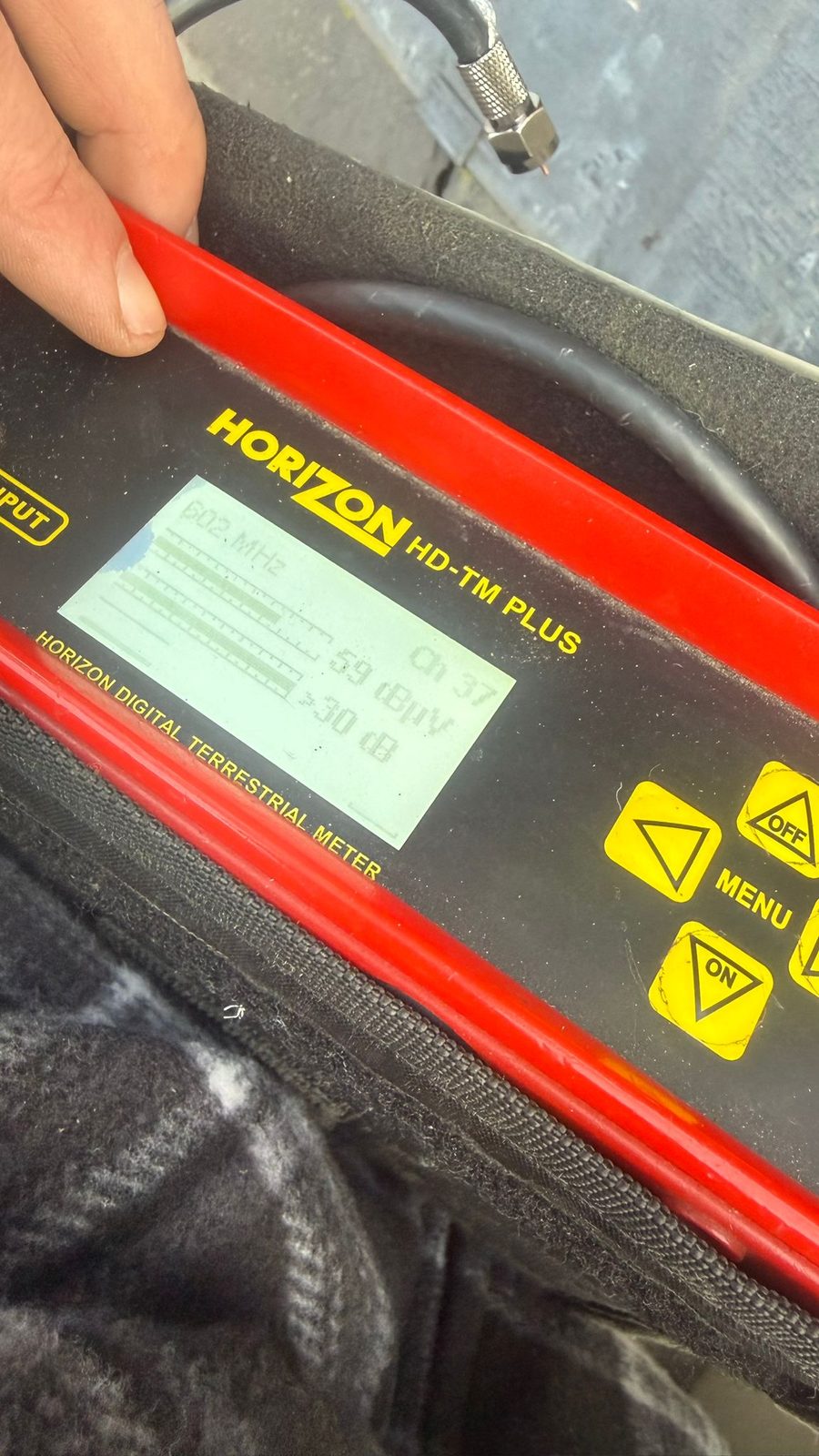
Fix. Re-seat the aerial lead at the TV first. If that doesn't clear it, the fault is upstream — the down-lead, a connector, amplifier or the aerial itself. Measuring signal level and quality at the wall plate and comparing the affected multiplexes is the quickest reliable way to narrow down which part of the system is failing.
Symptom: picture pixelates only on certain channels
Likely cause. Freeview services are carried in multiplexes, but the services and multiplexes predicted for a home vary by transmitter and address. Start with the current Freeview Channel Checker using the full postcode and house number. If one expected multiplex then measures weak or distorted while others remain usable, investigate the receiving system, interference and current transmitter conditions rather than assuming one national six-multiplex line-up.
Fix. A meter reading tells you which multiplex is weak and why. The fix might be a filter, a re-aligned aerial, a swapped amplifier or a fresh cable — but a retune on its own won't solve it, and can make things worse by dropping the weak channels off the list entirely.
Symptom: reception is worse in rain, wind or damp weather
Likely cause. Water ingress. An F-connector at the aerial that isn't properly sealed lets rain track down the copper inner, corrodes the joint and drops the signal. Perished down-leads behave the same way. Sometimes the aerial itself is already marginal and only dips below threshold when the weather changes.
Fix. A new sealed connector at the aerial end, or a fresh down-lead from chimney to TV, usually clears it. Where the aerial itself is corroded or no longer suited to the current channel plan, replacement is the honest answer.
Symptom: one TV pixelates but another in the house is fine
Likely cause. The distribution, not the aerial. Passive splitters lose 3-4dB per output — if the signal was already marginal, splitting it drops the weakest TV below threshold. A wall socket with a broken connection behind the plaster does the same thing.
Fix. Fitting a small powered distribution amp, replacing the splitter, or running a dedicated cable to the affected TV. Our guide on one TV having no signal when another works covers the checks in order.
Symptom: pixelation started after new work near the property
Likely cause. Interference from a nearby source. Freeview lives on 470-694MHz; 4G/5G mobile starts at 700MHz. Where a new mast or piece of equipment has gone up nearby, the meter will show interference on the affected frequencies.
Fix. A filter fitted at the correct point in the system — usually at the aerial — clears confirmed interference on the affected frequencies. It's not a bandaid to reach for blindly, though; the meter needs to prove it's the cause first.
Symptom: pixelation is worse on the strongest / HD channels
Likely cause. Signal overload — too much signal, not too little. Common where a powered amplifier is fitted in an area that never needed one, or on TVs close to a strong transmitter.
Fix. Usually a small attenuator at the back of the TV, or removing an amplifier that's making things worse rather than better. Our guide on whether aerial boosters actually work explains why a bigger booster is very rarely the answer.
When retuning genuinely helps (and when it doesn't)
Before retuning, check the address in the Freeview Channel Checker and review current engineering-work guidance. Retune when a confirmed channel/service change or a receiver channel-list problem justifies it, after reception is stable. Freeview advises against retuning during transmitter engineering work, and repeated retuning during an active reception fault can remove services from the saved list without repairing the signal path.
A retune is the wrong first step when the signal at the wall is actively weak or intermittent. The TV scans through the frequencies and only stores channels it can hear at the moment of scanning — if the fault is causing dropouts, the retune will happily wipe channels that are otherwise perfectly fine, and you'll have fewer channels than you started with. Fix the connection first, confirm reception is stable, and only then decide whether a retune is needed.
When to call us out
If you've worked through the basic connection checks and the picture is still breaking up, a proper signal-level, signal-quality and spectrum check can isolate whether the problem sits at the aerial, in the coax cabling, in an amplifier or within the distribution system. We test before recommending parts so a weak-signal problem, interference problem and overload problem are not all treated as the same fault.
Call 0161 399 1757 or send a short clip or photo on WhatsApp — for straightforward symptoms we can often give you initial guidance without visiting. Full detail on TV aerial repair in Stockport, or see TV setup & retuning if you've confirmed reception is stable and simply need the channel list refreshed.
Clear written quotation before any chargeable work. Short-notice appointments may be available across Stockport, Greater Manchester and Cheshire.