
When some Freeview channels work and others disappear, start with the channels your exact address is predicted to receive — not a national channel total and not an assumption that every transmitter carries the same set of services. Freeview channels are grouped into multiplexes, so one weak or unavailable group can affect several channels while others continue normally.
This troubleshooting order was checked against Freeview's current Channel Checker, planned-engineering and retune guidance on 4 September 2026. Provider information can change, so use the linked live tools for the address before altering a saved channel list.
Start with the address and current service status
- Use the Freeview Channel Checker with the postcode and house number to see which channels are predicted at the address.
- Check Freeview's planned-engineering guidance. Freeview says not to retune during transmitter work because that can remove saved channels until the work has finished.
- Note the missing channel names, which television or recorder is affected and whether another outlet in the property shows the same fault.
- Check the accessible aerial lead and input selection without dismantling sockets or climbing.
- Retune only when Freeview reports a channel change, the receiver is being set up, or the current guidance justifies it. A full retune can delete favourites and scheduled recordings.
Why channels can disappear in groups
A multiplex carries several services on one broadcast frequency. If that multiplex is not available from the chosen transmitter, or arrives weak or distorted at the property, every service carried on it can be affected together. The number and availability of multiplexes depend on the transmitter and address, so this guide does not promise a universal six-multiplex line-up.
The missing-channel pattern is useful evidence, but it is not a diagnosis by itself. Current transmitter work, receiver tuning, interference, a cable or connector fault, distribution equipment and the aerial system can produce overlapping symptoms.
Common causes after current service information is checked
Marginal signal quality on one or more expected multiplexes
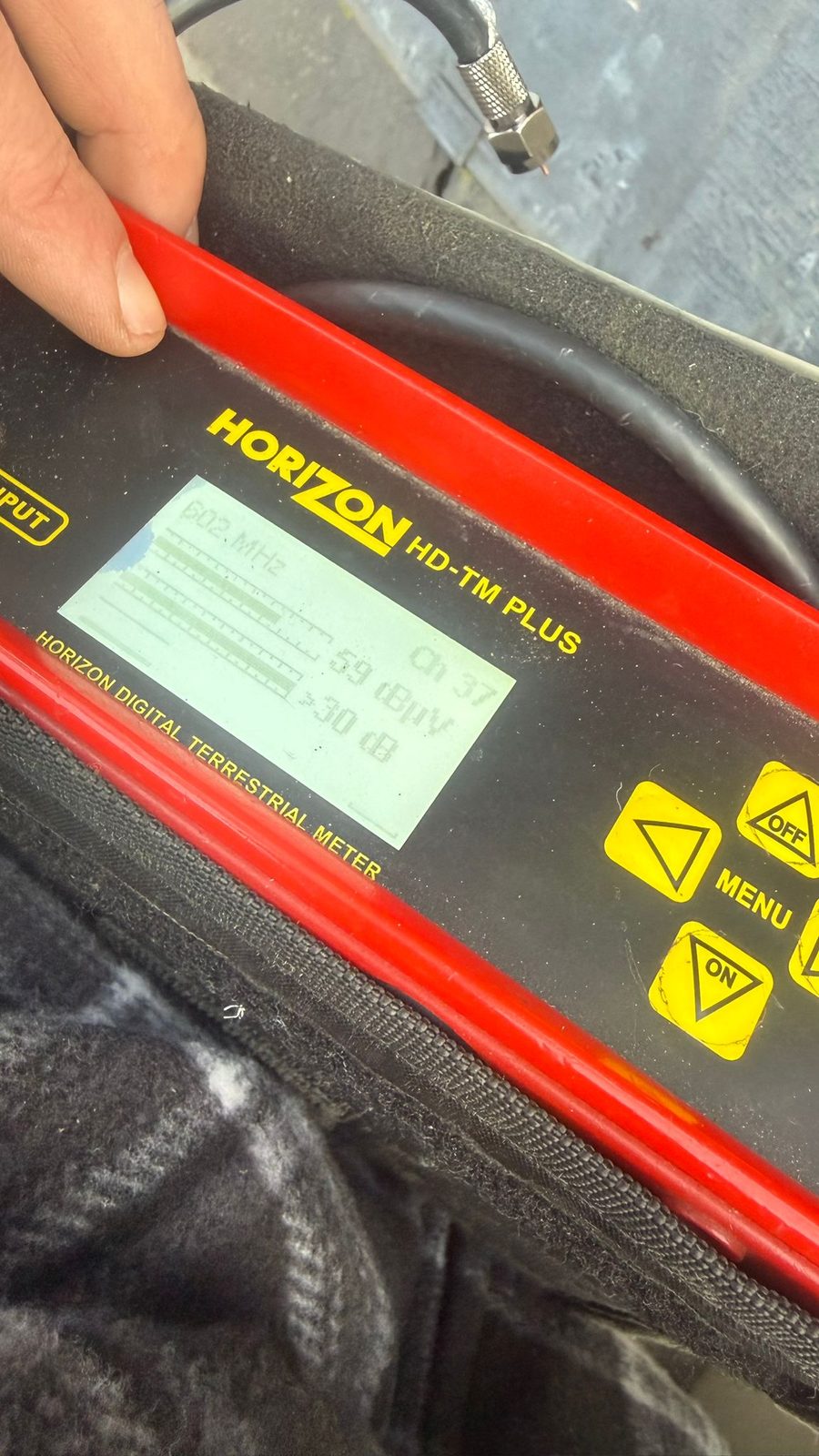
Different broadcast frequencies can be affected differently by terrain, obstructions, interference, aerial alignment and the receiving system. Measure strength and quality for the services expected at the address instead of assuming that HD or commercial channels must always be the first to fail.
Damaged or unsuitable aerial system
Corrosion, water ingress, movement, damaged elements or an aerial that is unsuitable for the current transmitter plan can reduce usable margin. Age alone does not prove replacement: inspect the condition, identify the intended transmitter and measure the result before choosing repair or replacement.
Cable, connector, splitter or amplifier fault
A damaged lead, poor termination, damp coax, unsuitable splitter or failing powered amplifier can affect frequencies unevenly. Comparing more than one outlet and testing before and after distribution equipment helps locate the loss.
Receiver or tuning-list problem
A television or recorder can retain an old list, tune to an unintended transmitter or miss services while the signal is temporarily poor. Follow the exact receiver manual and Freeview's current retune instructions only after the address and service-status checks above.
Safe checks before booking an engineer
- Photograph the missing-channel message and list a few working and failing channels.
- Compare another TV or outlet if one is already available; do not move fixed distribution wiring.
- Check the accessible flylead is seated and visibly undamaged.
- Look at the aerial from ground level for obvious movement or damage.
- Do not climb onto a roof or open powered equipment.
If the picture is breaking up rather than fully missing, our guide on why TV signal pixelates covers the measured diagnosis order in more detail.
When a measured aerial-system check makes sense
Arrange a test when the Channel Checker predicts the missing services, no current engineering work explains the fault, multiple receivers or outlets show a repeatable pattern, or visible damage is present. We compare the expected transmitter services with measurements at useful points in the system, then separate aerial, cable, connector, amplifier, distribution and receiver causes before recommending parts.
Current Sky input guidance
The terrestrial-input statement was reviewed on 5 September 2026 against Sky's current TV input app on Sky Glass guidance. Sky can change products, menus and supported behaviour, so confirm the exact Sky Glass generation, software and aerial setup rather than treating this article as a permanent product manual.
Frequently asked questions
Why do some Freeview channels work while others do not?
Channels are carried in groups called multiplexes. One unavailable, weak or distorted multiplex can affect several services while others remain, but the expected groups vary by transmitter and address.
Should I retune as soon as channels disappear?
Not automatically. Check the Freeview Channel Checker and planned-engineering information first. Freeview advises against retuning during transmitter work because it can remove saved channels until the work is complete.
Does an old aerial automatically need replacing?
No. Age is context, not proof. The aerial type, physical condition, transmitter plan, cable system and measured strength and quality should determine whether repair, realignment or replacement is justified.
Will a booster restore missing channels?
Only if the measured signal is suitable for amplification. A booster cannot repair distortion, water ingress, a poor connector, the wrong aerial or a transmitter/service issue, and it can overload an already strong signal.
Clear written quotation before any chargeable work. Short-notice appointments may be available across Stockport, Greater Manchester and Cheshire.