
Quick answer
Choose Cat6 for most normal home and small-office outlets. Choose Cat6A when you genuinely need 10Gb Ethernet across longer channels, the environment/specification calls for it, or you want that extra 500 MHz cabling headroom in a properly matched system. Cat6 is a 250 MHz category; Cat6A is 500 MHz. Both can carry PoE when the cabling system is designed correctly.
Two cables that look identical, priced very differently, and endlessly debated on forums. Cat6 or Cat6a — which one should you actually put in the walls of a home or small office across Stockport, Manchester or Cheshire? This is the honest engineer's answer, based on what we install week to week, not what a spec sheet says in isolation.
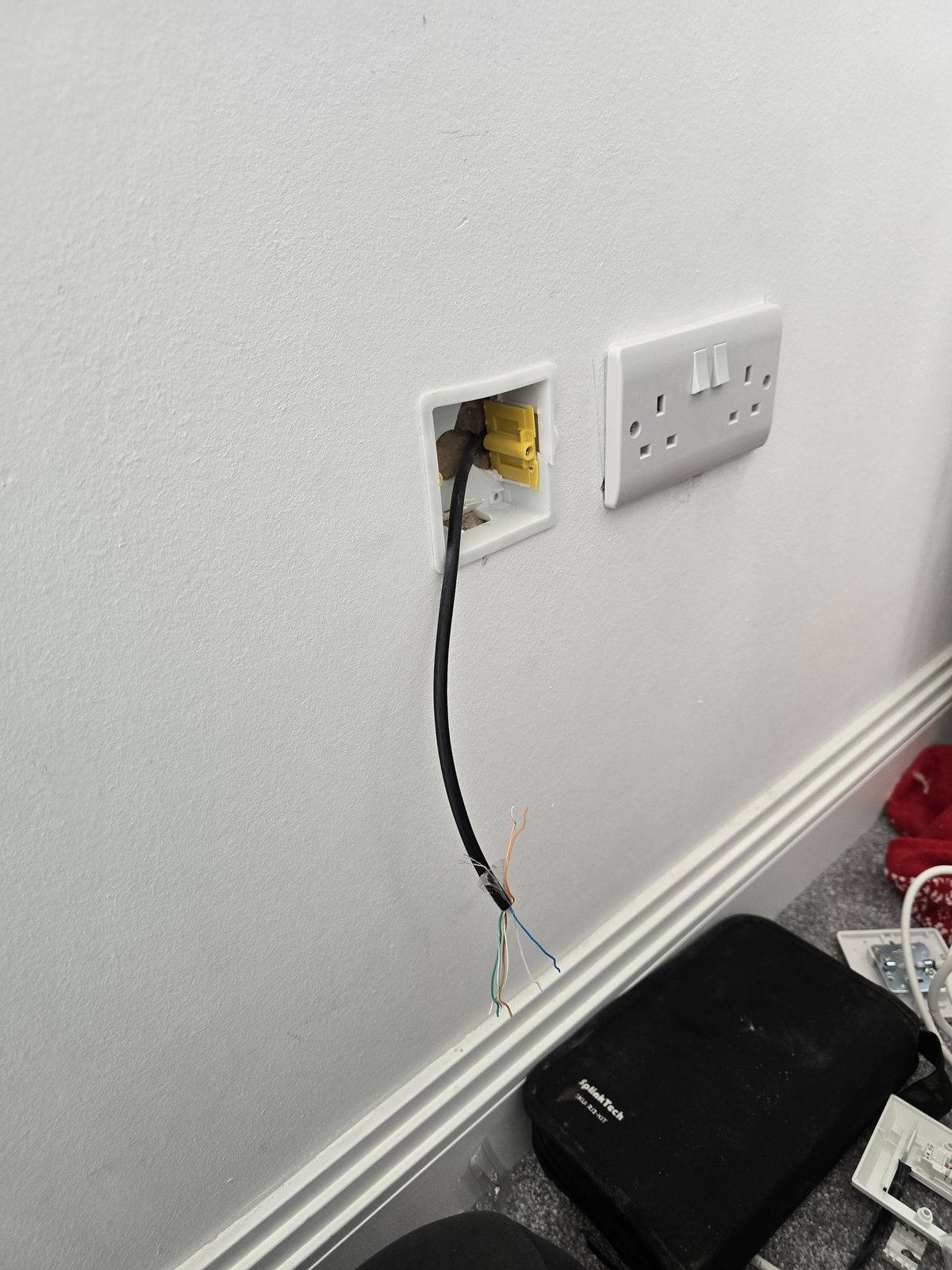
The short answer
For most homes, home offices and small-business fit-outs, Cat6 is the sensible default. Cat6 is specified to 250 MHz and comfortably supports 1Gb Ethernet over a full channel; it can also support faster Ethernet standards on suitable installations. Cat6A is specified to 500 MHz and is designed for 10Gb Ethernet over the full 100m channel. Choose Cat6A when that extra 10Gb headroom, longer run length or the installation environment genuinely justifies the larger cable and components — not simply because “A” sounds more future-proof.
Cat6 in one paragraph
Cat6 is a four-pair balanced copper cabling category specified to 250 MHz. A correctly installed Cat6 channel supports 1Gb Ethernet to the normal 100m channel limit and can support multi-gigabit Ethernet too. 10Gb Ethernet can work over shorter Cat6 channels, but the achievable distance depends on the installation and interference environment, so we do not treat “55m” as a blanket promise for every building. For normal home and small-office runs, Cat6 gives plenty of practical network capacity without making termination and containment unnecessarily bulky.
Cat6a in one paragraph
Cat6A is specified to 500 MHz and is designed to support 10GBASE-T over a full standards-compliant 100 m channel. Existing Cat6 can support 10GBASE-T on suitable shorter channels, but the achievable distance depends on alien crosstalk and the installed channel rather than one guaranteed “55 m” figure. For current technical context, see Fluke Networks' 10GBASE-T field-testing guidance and Leviton's Cat 6A systems overview. Cat6A is available in unshielded and shielded constructions; shielding is not what makes a cable Cat6A. Where a shielded system is specified, cable, jacks, patch panels and the bonding/earthing approach need to be designed as one system.
Real-world speed — the bit that surprises people
Most TVs, streaming devices and everyday office equipment still use 1Gb Ethernet interfaces, while 2.5Gb Ethernet is becoming more common on newer access points, PCs and network storage. 10Gb Ethernet is most useful where large files move across the local network — for example between a workstation and NAS, between servers, or across a commercial backbone. That is why the Cat6 versus Cat6A decision should be based on the LAN you actually want to build, not just the headline speed of the internet connection.
When Cat6a genuinely earns its money
- Required 10Gb application and channel length — specify Cat6A for a full standards-compliant 100m 10GBASE-T channel. Shorter Cat6 channels need their actual installation and alien-crosstalk performance assessed rather than a universal 55m cutoff.
- Home office with a 10-gigabit NAS — video editors, photographers, architects moving multi-GB files to shared storage.
- Commercial structured cabling backbones — where the required application, standards, channel length, pathway capacity, equipment roadmap or client specification justify Cat6A. A “15+ year lifespan” is not a cable-category guarantee; service life depends on the installed system, environment, future applications and the organisation's own design horizon.
- Interference and pathway requirements — assess the environment and separation from other services. Cat6A can be unshielded or shielded; any specified shielding and bonding must form a compatible complete system.
- Higher-power PoE — check the exact cable's solid-copper conductor gauge and resistance, required current, channel length, bundle size, ambient temperature and manufacturer specification. The category label alone does not establish thicker copper or a suitable thermal design.
Where Cat6 is the honest answer
- Bedroom, living room and study drops in a normal UK home
- PoE access points and cameras where the cable's conductor specification, length, loading and temperature suit the required power
- TV, games console, streaming device wired drops
- Home office feeds — even for full-time remote workers on video calls all day
- Small-office outlets where the required application, complete channel length and specification suit Cat6; outlet count alone does not decide the category
Termination — the bit that ruins DIY Cat6a jobs
Cat6A needs more care in containment and termination because the cable and compatible modules are usually larger, bend radius matters, and alien-crosstalk performance depends on preserving the cable geometry. The finished channel is only as capable as its lowest-rated component: landing Cat6A cable on Cat6-rated jacks or patch panels does not create a Cat6A channel. Where shielded Cat6A is specified, the shield continuity and bonding approach must also be handled correctly.
Why Cat6A usually costs more to install
Cat6A normally costs more because the cable, jacks and patch-panel hardware can be dearer, the cable occupies more containment space, bend radius is less forgiving and termination can take longer. The difference on a real project therefore depends on route length, number of outlets, containment, cabinet space and whether shielding is required. We quote the actual scope rather than publishing a percentage uplift that may have nothing to do with your building.
What we do by default
For normal home and small-business outlets we usually start with Cat6 and move to Cat6A where the required 10Gb distance, equipment, environment or client specification makes it worthwhile. Longer switch-to-switch, rack-to-rack or building-backbone links may be better served by fibre network cabling rather than simply moving up a copper category. The right answer is the one that fits the link being built, not a blanket “Cat6 everywhere” or “Cat6A everywhere” rule.
Frequently asked questions
Is Cat6a worth it for a home?
Cat6 can be proportionate for ordinary home outlets. Compare Cat6A where the required application, full channel length, equipment plans or project specification call for it, particularly for 10GBASE-T over a full compliant 100m channel. Choose for the actual requirement rather than the room name alone.
Can Cat6 run 10-gigabit Ethernet?
Yes, on suitable shorter Cat6 channels. The exact reach depends on the installed channel and interference environment, so we do not promise one universal distance. If 10Gb Ethernet must be supported over a full 100m channel, Cat6A is the designed choice.
What's the maximum distance for Cat6?
The normal Ethernet channel limit is 100m for standards Cat6 is designed to carry such as 1Gb Ethernet. Faster applications have their own cabling requirements; 10Gb Ethernet may work on shorter Cat6 channels, while Cat6A is designed for 10Gb Ethernet over the full 100m channel.
Do I need Cat6a for PoE cameras?
No. Good-quality solid-copper Cat6 is widely used for PoE cameras and access points. Higher-power PoE, long runs and large cable bundles need the current, temperature and voltage-drop side of the design checked; Cat6A can provide useful thermal headroom in some cases, but PoE by itself does not automatically require Cat6A.
Is Cat6a compatible with Cat6 sockets?
The RJ45-style interface is compatible, but the finished link is limited by the lowest-rated component. Cat6A cable terminated onto Cat6-rated jacks or patch panels should be treated as a Cat6-class channel unless the complete installed link is built and verified to the higher category.
Can you install both in the same job?
Yes — very common. Cat6a for a couple of specific runs (home office to NAS, long external run to a garden office), Cat6 for the rest of the house. That's often the honest recommendation and it keeps the price sensible.
Need Wi-Fi, cabling or a proper home network sorted across Stockport, South Manchester, Tameside or East Cheshire? Evolution Data & Digital is a local, engineer-led business — the same engineer surveys, quotes and installs. We test the property properly, explain the honest fix and agree a fixed price before any work begins. Call 0161 399 1757, send a WhatsApp, or contact us online.
Clear written quotation before any chargeable work. Short-notice appointments may be available across Stockport, Greater Manchester and Cheshire.