
Almost every homeowner planning technology upgrades asks a version of the same question — "Can't I just buy the smart bulbs, the Ring doorbell, the Hive thermostat and set it all up myself?" You can. Plenty of homes do. But there's a real, honest difference between a collection of separate smart devices and a designed smart home system. This guide explains what actually changes.
The collection-of-devices approach
The typical starting point looks like this: an ISP router in the corner of the front room, a mesh kit added when the Wi-Fi started struggling, a Ring doorbell, a Hive or Nest thermostat, some Hue bulbs in the lounge, a Sonos in the kitchen, a couple of battery cameras, and an Alexa in every room to try to hold it all together.
Each product is fine on its own. Each product also comes with its own app, its own firmware, its own subscription and its own log-in. They live on whatever Wi-Fi the ISP router happens to be putting out. When it works, it works. When it doesn't, nobody knows where the problem is.
The designed-system approach
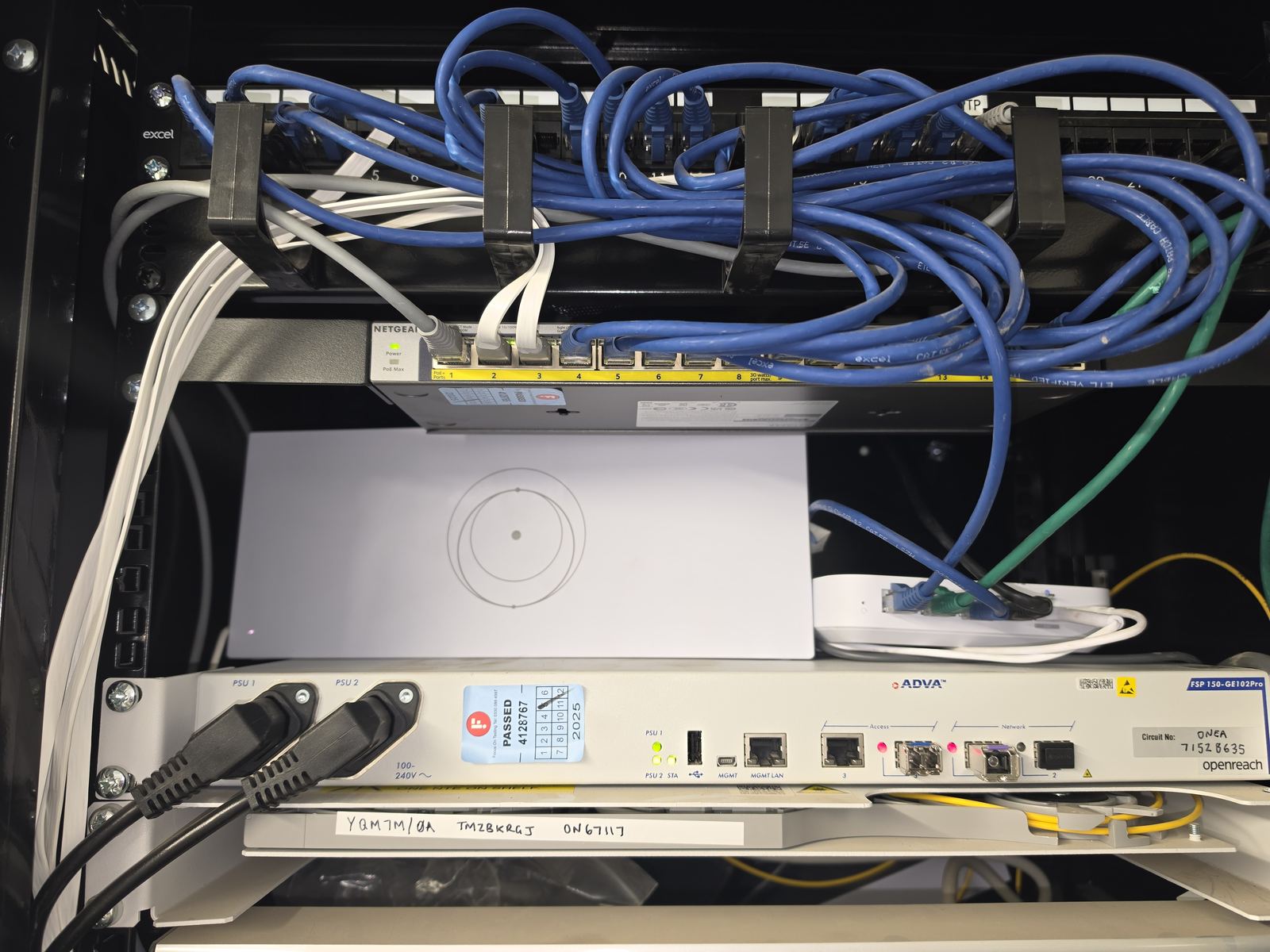
A designed smart home starts from a shared foundation — a managed network, a documented cable schedule, and Wi-Fi planned for the required areas, with a consistent network name where appropriate. Once that's in, every device on the property talks over the same network, is separated by VLAN where sensible (trusted devices, IoT, guests, CCTV), and is monitored as part of one system.
Devices are still individual products — lights, cameras, thermostats, speakers — but they sit on a network that was designed for them, and the ones that need to talk to each other (lighting scenes triggered by keypads, cameras tied to alarms, thermostats integrated with heating) are chosen so they actually can.
The seven things that actually change
1. Reliability
A managed network does not make access points, switches or connected devices failure-proof. The practical benefit is that the equipment can be sized and configured for the required coverage, client load, PoE budget, uplinks and support model, while logs, monitoring and documentation make faults easier to isolate. Wired backhaul can also remove an avoidable wireless dependency where the design supports it. Access points, switches, power supplies, cabling, firmware, clients and upstream services can still fail, so reliability should be commissioned and supported rather than described as “never reboots” or “everything always behaves.”
2. Coverage
Coverage is planned for the agreed rooms, outdoor areas and outbuildings, with suitable backhaul. A shared network name can support movement between access points, but the client decides when to roam. Device support, radio conditions, configuration and the application affect whether a transition is noticeable; representative clients and applications should be tested on the required routes. See our mesh vs access points guide.
3. Security
Security depends on the device, its support lifecycle and how it is configured — not simply whether it is inexpensive or part of a wider system. Prefer supported products, replace any default credentials, use a unique account password and two-step verification where available, enable updates, and review whether remote access is actually needed. The NCSC's smart-device guidance covers these practical controls; this link was checked on 5 September 2026.
A separate network or VLAN can reduce exposure, but the VLAN label alone does not create isolation. The gateway or firewall rules must enforce the intended boundaries, and any exceptions needed for discovery, controllers or integrations should be limited and tested. The right design is proportional to the devices, data and household requirements.
4. Local control
Offline behaviour depends on the selected devices, controllers, integrations and features. Local lighting control or recording may continue where the system supports it and local power and networking remain available; remote access, cloud automations or voice features may still need internet access. Required fallbacks should be agreed, documented and tested at handover rather than assuming every function survives a broadband outage.
5. Fewer apps
You'll never get to one app for everything (nobody has). But a designed system reduces the number of apps you use day-to-day — usually to two or three — and pushes the rest into a single control interface or physical keypad where you actually want to touch it.
6. Documentation
Every managed installation comes with a cable schedule, a patch panel diagram and a one-page description of the network. Six months later when something changes, or two years later when an IT provider takes over, that documentation is what stops a small job becoming a big one.
7. One number to call
A collection of separate devices means a collection of separate support paths. A designed system means one engineer who installed it, knows it, and can fix it — usually over the phone.
When separate devices are the right answer
We're honest about this. If you want a doorbell and a couple of smart bulbs — buy them. You don't need a designed system for that. Where the designed-system approach genuinely pays off is when you're planning multiple systems together (new build, major renovation, upgrading an existing high-value home), when you want it to keep working reliably for years, or when you've already tried the DIY route and you're tired of rebooting things.
Full detail on the Smart Home Automation page, or see our Wi-Fi & home networks and data cabling pages for the network foundation underneath.
Frequently asked questions
Do I have to replace everything I already have?
No. We routinely integrate existing kit — Sky, Sonos, Hue, Ring, alarm systems — into a designed network rather than replacing what already works. The upgrade is usually the network underneath, not the devices on top.
Can everything really be controlled through one app?
Rarely, if we're being honest. Different manufacturers work well together in some combinations and not in others. A good designed system reduces the number of apps you use day-to-day, but very few homes end up with genuinely 'one app for everything'.
Isn't this just enterprise kit in a house?
Partly, yes. The best domestic smart-home installs borrow reliable engineering from small-business networks — managed switching, ceiling access points, VLANs, proper cabling — because those things just work. Enterprise doesn't have to mean commercial-ugly.
Do designed systems get outdated?
Devices, apps and software change, and no network foundation has a guaranteed useful life. Good cabling, accessible pathways, documented rack space and a supportable network can make future changes easier, but the design horizon should follow the property, equipment roadmap and customer requirements rather than a fixed decade promise.
How much of a difference does it really make?
The useful differences are measurable: clearer fault isolation, appropriate coverage, known backhaul, documented configuration and a defined support route. The outcome still depends on the property, equipment and services in use, so a designed system should be tested at handover rather than promised to work perfectly all the time.
Planning a smart home across Stockport, Manchester or Cheshire? Evolution Data & Digital designs and integrates complete technology systems — network, Wi-Fi, security, entertainment and control — for new builds, major renovations and existing high-value homes. See our Smart Home Automation page or call 0161 399 1757 to book a consultation.
Clear written quotation before any chargeable work. Short-notice appointments may be available across Stockport, Greater Manchester and Cheshire.