
Quick answer
A small business needs an incoming internet service, a suitable gateway/firewall and a local network that reaches its wired and wireless devices. Switching, PoE, cabling, access points, network separation and backup should follow the way the business operates. Ten devices in a shop can have very different requirements from ten devices in an office.
Buying a router, switch and a box of access points is not the same as designing a network. The useful starting point is what staff need to do, where they do it and what happens if a connection fails. From there, the equipment list becomes much easier to justify.
EDD’s commercial network installation service brings those parts together for businesses in Stockport, Greater Manchester and Cheshire. This guide explains their roles so you can discuss a design without needing to choose every box yourself.
Start with the work, not just the device count
List working areas, busy times, wired equipment, mobile users and the systems that must remain separate. A reception printer, CCTV recorder, cloud till, VoIP phone and guest’s laptop are not interchangeable network requirements. Some need local discovery, some need restricted access and some depend entirely on an external service.
Ask which applications matter most, whether staff move while using them, how much upload traffic is involved and what downtime would interrupt. Include planned growth and existing equipment worth retaining. The answer may be a modest system; managed equipment is useful when it solves a real operational or support need.
How the main parts connect
A common layout is shown below. These are roles, not a requirement for five separate boxes: a small gateway can combine routing, firewall and other functions.
Most end devices connect to the switch in branches. They are not all chained through one another. Larger sites may need several switches or a fibre backbone; smaller sites may need only a few ports and one well-positioned access point.
The incoming service, gateway and firewall
The internet connection needs to suit the real workload, including uploads, calls, cloud applications and provider support arrangements. Faster broadband alone cannot fix poor local Wi-Fi or a damaged cable. Our business internet solutions page covers the incoming connectivity and resilience decisions.
The router or gateway connects networks. The firewall controls permitted traffic between them. Those functions often live in the same appliance, so a separate firewall box is not automatically necessary. What matters is suitable capacity with the required features enabled, a clear configuration and an agreed owner for updates and changes.
Firewall installation should include understanding which devices and applications need access, restricting unnecessary access and testing the result. Buying a device with “security” on the box does not define those rules. Remote access, VPNs and existing IT-provider requirements should be agreed before the new gateway goes in.
Switches, PoE and cabling
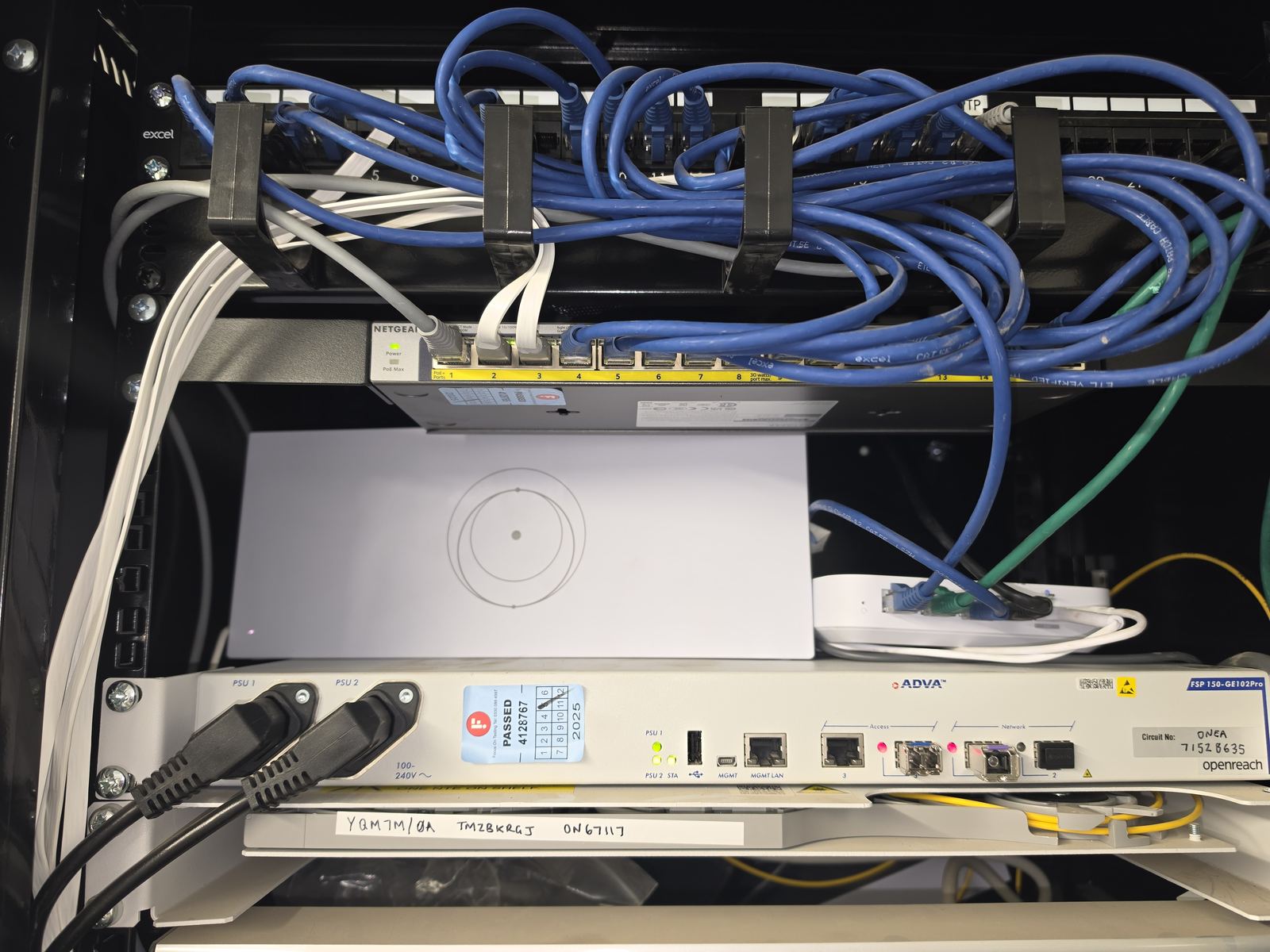
Choose switch ports and uplinks around the connected equipment and shared traffic. A managed switch can help with network separation, monitoring and controlled changes. An unmanaged switch may be enough for a simple extension, but offers less visibility and control. Do not choose purely by the number of sockets on the front.
Power over Ethernet supplies compatible access points, phones and cameras through their data cable. Check each device’s supported PoE standard, per-port requirement and the switch’s total available power. Spare data ports do not necessarily mean spare power capacity.
Structured cabling provides the permanent paths. The choice between existing cable, new Cat6, Cat6A or fibre depends on the required links and environment. Our structured cabling guide explains patch panels, outlets, labels and testing in detail; the data cabling service covers installation. Those physical paths form one part of the complete network.
Wi-Fi coverage and guest access
Access points connect wireless devices to the local network. Their positions should follow the building, working areas and demand, with suitable backhaul to the switch. Coverage bars alone do not show whether a busy meeting room or moving voice call will work well.
Guest access should be separated from business systems where appropriate. A different Wi-Fi name by itself is not proof of isolation: the underlying networks and firewall rules need configuring and testing. Printers, CCTV and EPOS may also need deliberate access rules, agreed with their providers, so separation does not break legitimate functions.
The business Wi-Fi survey guide explains when focused checks are enough and when a more detailed survey earns its place in the project.
Cabinet, power and continuity
Allow suitable space, mounting, ventilation, power and access for the equipment. Keep labels readable and leave a practical way to replace a switch or trace a port. A compact wall cabinet may be enough; some small installations do not need a full rack.
If power interruption matters, assess an uninterruptible power supply, or UPS, against the actual load and intended runtime. Protecting the gateway alone may be of little use if the switch, access points or incoming equipment lose power. A UPS is a defined period of backup, not an unlimited alternative to mains power.
Where lost internet stops trading, consider a second incoming connection and a compatible failover design. That does not remove every shared failure point. The backup internet and failover guide covers the limits and tests.
Management and handover are part of the design
Remote management can expose port status, device outages and configuration without a visit, where the equipment and support arrangement allow it. It still needs secure access, account ownership, updates and somebody responsible for responding. UniFi is one example of a managed platform EDD works with; the right choice depends on the site and whoever will support it.
Agree a handover record covering the equipment, labelled connections, network layout, configuration ownership and testing included in the job. Keep credentials securely, with access restricted to authorised people. Document who looks after the incoming service, the local network and the business applications.
A good proposal explains what each part does and why it is needed. If an existing network already serves the business, a focused repair or addition may be enough. Start with the work the network must support, then build the proportionate design around it.
Clear written quotation before any chargeable work. Short-notice appointments may be available across Stockport, Greater Manchester and Cheshire.