
For a rural UK property where the available fixed-line service does not meet the requirement, Starlink and 4G/5G home broadband are two possible alternatives. Neither is automatically the better choice: availability, performance, installation scope and current plan terms all need checking for the actual property.
Plan check: 3 September 2026. We reviewed the official Starlink UK service-plan page, Starlink residential availability flow, Three home-broadband page and Ofcom mobile coverage checker. Prices, hardware offers, contract terms, data policies and address-level availability can change, so follow those live pages and review the order summary before committing.
Provider claims are dated inputs, not property guarantees
Any published speed or latency range is illustrative only. It is not a promise for a particular address, hour or workload. Compare evidence for the exact service address, current plan, mobile network and proposed equipment position, then validate the installed service under real load.
- Speed and latency: record the provider, plan, source date and stated conditions, then measure download, upload, latency and stability at the property and at relevant times.
- Weather and obstructions: treat provider guidance as a design input; actual dish view, foliage, local weather and installation quality still affect the result.
- Network capacity: satellite capacity and the serving mobile cell can change experience by location and time, so one quiet-time test is not a universal result.
- Coverage maps: use Starlink's address flow and Ofcom's mobile checker as screening tools, not proof of indoor service or final performance.
- “Unlimited”, fair-use and traffic terms: read the current plan wording, priority or data policy, traffic-management terms and order summary rather than carrying a label from another provider or plan.
Recheck these volatile terms immediately before quotation or order. The comparison should name the property, plan, mobile cell or Starlink service area and evidence date instead of presenting one national winner.
Start with the requirement, not the headline speed
Record what the connection must support: simultaneous calls, cloud systems, uploads, remote access, streaming, guest use and any service that cannot tolerate an interruption. Check whether a suitable fixed-line option is available first, then compare alternatives against that written requirement.
What to check for Starlink
- Current residential availability and plan terms for the service address
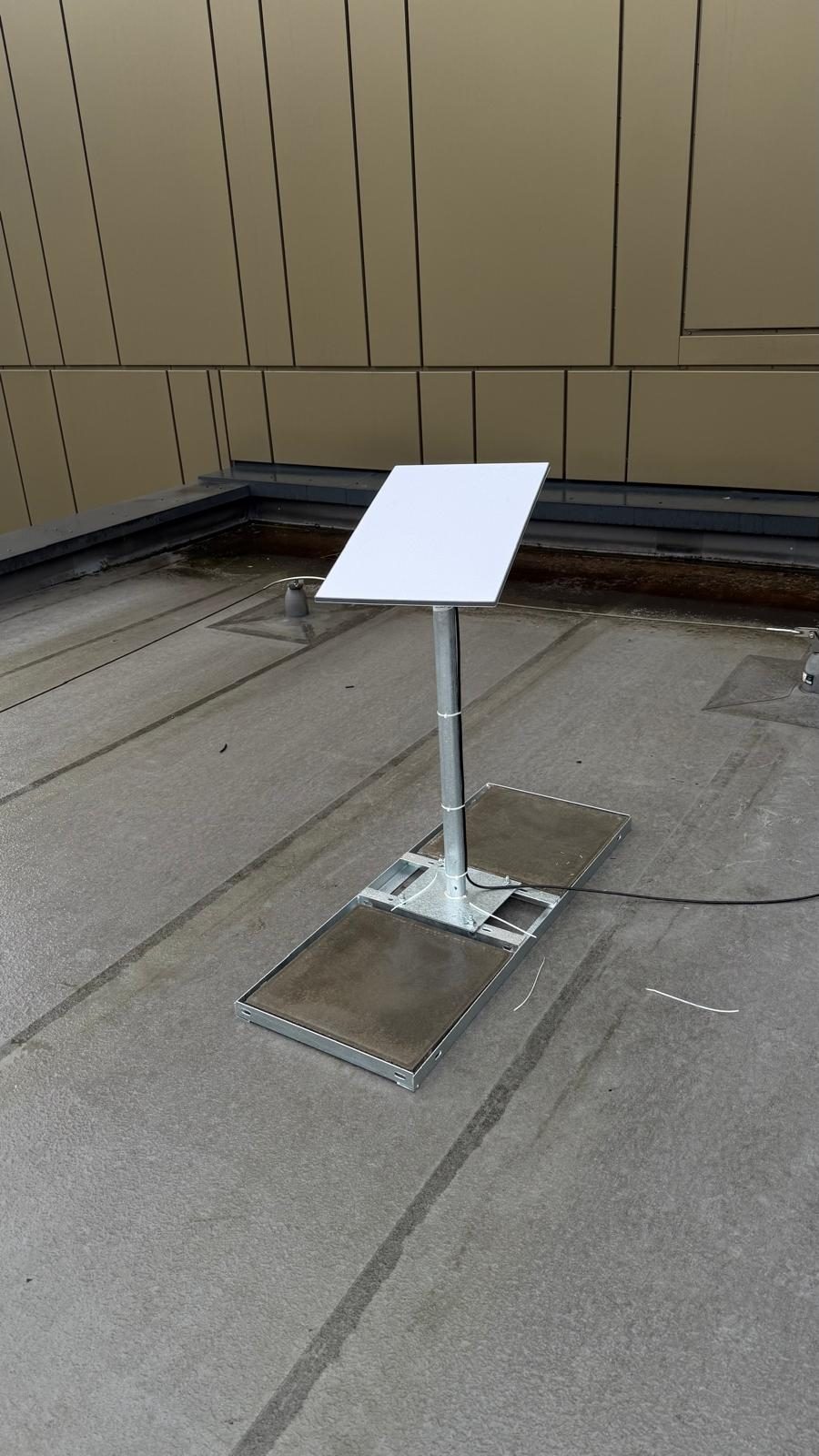
- A suitable mounting position and the obstruction result from the current Starlink app
- The cable route, power, router position and any separate Wi-Fi work the property needs
- Measured download, upload, latency and stability after installation, at the times that matter
- Current support, pause, cancellation, return and equipment-ownership terms
Satellite performance can vary with the site, obstructions, network conditions, equipment and plan. A clear installation survey removes avoidable obstruction and cabling problems, but it cannot turn a provider's current performance into a fixed guarantee.
What to check for 4G or 5G home broadband
- All mobile networks that are realistically available at the address
- Signal and performance at the proposed router or external-antenna position
- Busy-time as well as quiet-time download, upload, latency and stability
- Router capabilities, antenna options and whether carrier-grade NAT affects remote access
- Current contract, data, traffic-management, price-change and return terms
Ofcom's checker is a useful starting point, but Ofcom also explains that buildings, terrain, trees, mast capacity and congestion can make experience differ from a prediction. Test the networks at the property with suitable equipment before treating mobile broadband as the final design.
Compare the complete cost from current written terms
Do not build a multi-year total from an old headline monthly price. For each live option, record the equipment charge or rental, delivery, installation, mounts, cabling, router or antenna, promotional period, scheduled price changes, minimum term and any return cost. Calculate the comparison from the dated order summary or written quotation and note which figures can change.
How to decide
- Check live availability: use the provider's address checker and Ofcom's postcode-level mobile comparison as starting evidence.
- Test the actual site: compare candidate mobile networks at the intended equipment position and use Starlink's obstruction check for the proposed dish location.
- Measure the real workload: repeat tests at relevant times and include upload, latency and stability rather than choosing on one download result.
- Compare current terms: price the full installation and service from live, dated documents, including contract and return conditions.
- Plan resilience separately: if connectivity is critical, identify the likely failure modes and whether a suitably independent backup path and power arrangement are needed.
What we install
We survey and install both technologies. See our Starlink installation page for mounting, cabling and network integration, and our 4G and 5G internet installation page for mobile-router, signal and external-antenna work. The recommendation should follow the survey and current provider evidence, not a universal preference.
Frequently asked questions
Which is faster, Starlink or 5G?
There is no reliable area-wide answer. Compare current provider availability and test download, upload, latency and stability at the property at relevant times.
Can I use 4G as a Starlink backup?
A compatible dual-WAN router can use a mobile connection as another path. The design still needs testing, suitable failover rules and an assessment of shared power, equipment and upstream failure risks.
Is there a data limit on Starlink or mobile home broadband?
Check the live plan terms before ordering. Data allowances, priority, traffic management and acceptable-use conditions can differ by provider and plan and may change.
Do I need planning permission for a Starlink dish?
Requirements depend on the property, location and proposed installation. Check the current Planning Portal guidance and obtain local or specialist advice for listed buildings, conservation areas or any uncertain case.
Will an external mobile antenna improve the connection?
It may help where a survey finds usable outdoor signal and a suitable antenna position, but the result depends on the serving network, bands, terrain, cabling, router and mast capacity. Measure before and after rather than promising a speed.
Which is easier to install?
The scope varies. A mobile router may be simple where indoor signal and Wi-Fi placement are suitable; other properties need an external antenna and cable route. Starlink needs a suitable obstruction-free mount, cable route, power and network position. Confirm the site-specific scope before scheduling.
Need Wi-Fi, cabling or a proper home network sorted across Stockport, South Manchester, Tameside or East Cheshire? Evolution Data & Digital is a local, engineer-led business — the same engineer surveys, quotes and installs. We test the property properly, explain the honest fix and agree a fixed price before any work begins. Call 0161 399 1757, send a WhatsApp, or contact us online.
Clear written quotation before any chargeable work. Short-notice appointments may be available across Stockport, Greater Manchester and Cheshire.