
Quick answer
A Wi-Fi dead spot is usually a coverage or backhaul problem, not a broadband-speed problem. Try router placement first. Mesh can fix it when the nodes can still communicate cleanly; if walls, floors or foil insulation destroy that backhaul, wiring a mesh node or access point is the predictable fix. Diagnose the weak point before buying another booster.
A Wi-Fi dead spot is a room or part of a property where an important device cannot maintain the connection or performance it needs. The useful first step is to reproduce the problem and work out whether it follows the location, one device, the wireless band, the access point or the broadband connection.
What can create a dead spot?
Distance, construction, interference, access-point position and the receiving device all affect radio coverage. Brick or stone walls, foil-backed insulation, metalwork, services, furniture and nearby networks can each change the usable path. A visual guess at one wall cannot predict the result, so compare measurements at the working and failing locations.
- Location: test the same device beside the active router or access point and at the problem position.
- Client: compare a second known-good device in both places before blaming the network.
- Backhaul: confirm how each mesh node or access point reaches the router and whether that upstream link is stable.
- Broadband: use a suitable direct-wired baseline where possible so an incoming-service fault is not mistaken for weak Wi-Fi.
- Interference and configuration: record channels, bands, retries and current firmware before making one controlled change.
Extenders and powerline adapters are not universal repairs
A wireless extender must receive a usable upstream signal before it can repeat traffic. Depending on its radios, band use, placement and simultaneous traffic, that repeated path may constrain capacity or add delay; there is no fixed percentage loss that applies to every product.
Powerline performance depends on the adapters and the electrical path between sockets. Circuit layout, protective devices, noise and the building installation can affect the link, so a headline product rate is not the same as measured application performance. Test the actual path before treating either technology as the permanent answer.
Mesh can work when every node has a healthy path
Consumer mesh can be proportionate when nodes are positioned within tested range and the model supports the controls and backhaul required. Wireless backhaul shares radio resources and can become the limiting part of the route, especially through weak or repeated hops, but it does not automatically halve throughput at each node.
Where the chosen system supports it, Ethernet backhaul can separate the node-to-router link from the client Wi-Fi. It does not guarantee full broadband speed: switch ports, cabling, configuration, radio conditions and the client may still limit the result. See mesh Wi-Fi versus access points for the architecture comparison.
When a wired access point may be the proportionate answer
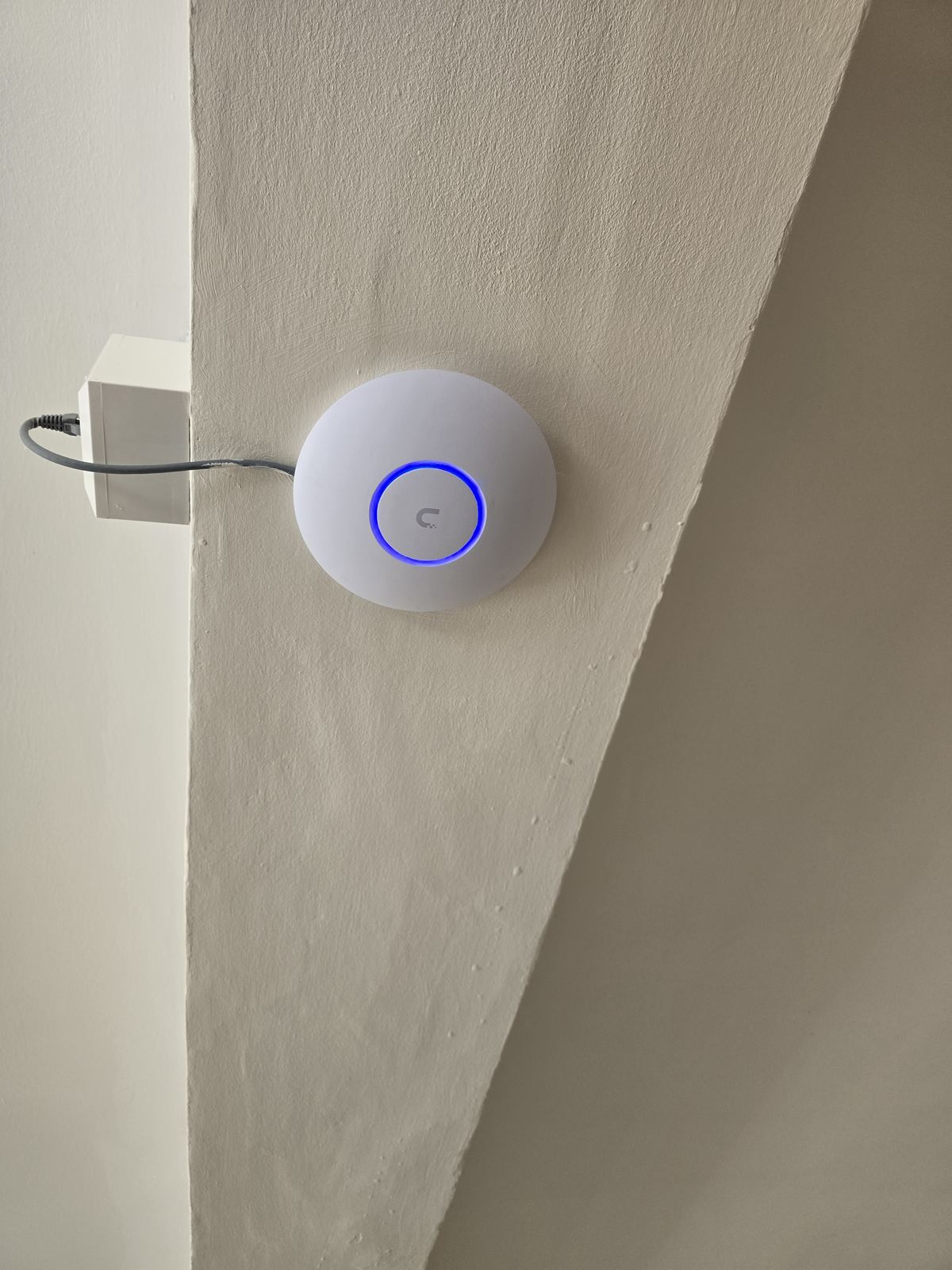
A suitable Cat6 route to a correctly positioned access point can provide a testable backhaul for a loft room, extension, garden office or annex. The number and position of access points still come from the building, device load and agreed coverage areas; one access point per floor and no-dead-spot promises are not reliable design rules.
Detached buildings also need the route between structures assessed for distance, ownership, services, entry points, electrical environment and future maintenance. A wired, fibre or point-to-point wireless design may be appropriate. See garden office Wi-Fi for that separate scope.
If the weak coverage is mainly on the upper floor, use our Wi-Fi slow upstairs guide to separate positioning, building fabric, backhaul and broadband symptoms before choosing equipment.
Low-cost checks before buying more equipment
- Place the router in an open, ventilated position where its cabling and provider requirements allow.
- Do not hide it behind large metal objects or inside a closed cabinet unless the Wi-Fi role is handled elsewhere.
- Check that the problem is not limited to one device or one application.
- Restart only as a diagnostic step and record whether the improvement lasts.
- Change one setting or position at a time, then repeat the same test.
What a useful Wi-Fi assessment should produce
The output should identify the incoming-service baseline, important rooms and devices, observed weak points, proposed access-point or node positions, backhaul and any cabling route. It should also say what will be tested after installation. A non-invasive Wi-Fi survey and coverage assessment may form part of a planned quotation; deeper hands-on fault diagnosis, specialist testing or access can be chargeable, and any charge should be agreed before that work starts.
See Wi-Fi and home network installation or call 0161 399 1757 to describe the property and the locations that matter.
Sources and review boundary
Backhaul and roaming wording was reviewed on 5 September 2026 against Ubiquiti's wireless-mesh guidance and TP-Link's Deco Ethernet-backhaul guidance. These describe platform behaviour, not a guaranteed outcome in a particular property.
Frequently asked questions
Will a stronger router fix a dead spot?
Only if testing shows that the current router or its position is the restriction. Construction, interference and client capability can remain limiting, so compare the same device at a working and failing location first.
Is mesh always better than a single router?
No. A well-positioned single router can be enough for a smaller property. Mesh becomes useful when one radio cannot cover the layout, but the mesh nodes still need a healthy backhaul path between them. Where walls or floors kill that backhaul, a wired access point or wired mesh node is more predictable.
Do I need to run cables?
Not in every property. Cabling may be justified where wireless backhaul cannot provide a stable tested path or where fixed devices need predictable Ethernet. Available routes and disruption should be agreed before specification.
Will Wi-Fi 6E or Wi-Fi 7 remove the dead spot?
Not as a category-wide promise. The exact access point, client, band, channel width, backhaul and building all matter. Newer standards do not remove poor placement or an obstructed radio path.
Can Wi-Fi reach a garden office?
Potentially, but distance and one-wall rules are not reliable. Assess the full path and compare a suitable cable, fibre or point-to-point wireless link with an outdoor access point where appropriate.
How much does a Wi-Fi repair cost?
The quotation depends on the diagnosed cause, equipment, number and position of access points, cable routes and agreed testing. EDD does not publish a generic fixed price for an unassessed property.
Need Wi-Fi, cabling or a proper home network sorted across Stockport, South Manchester, Tameside or East Cheshire? Evolution Data & Digital is a local, engineer-led business — the same engineer surveys, quotes and installs. We test the property properly, explain the honest fix and agree a fixed price before any work begins. Call 0161 399 1757, send a WhatsApp, or contact us online.
Clear written quotation before any chargeable work. Short-notice appointments may be available across Stockport, Greater Manchester and Cheshire.