
Quick answer
Yes, Ethernet/data cable can be run outside when the cable, route and protection suit the installation. Plan the support, physical exposure, building entry and final connection as one job. Ordinary indoor cable is not automatically suitable outdoors, and copper is not the right link for every detached building. The sensible starting point is the route and the network you need at the far end.
Getting a network into a garden office, shed or workshop is often as much about the property as the equipment. A route following a wall, timber structure or existing duct may be practical; a loose cable across paving or an open garden is a different proposition. This guide focuses on planning that physical external route.
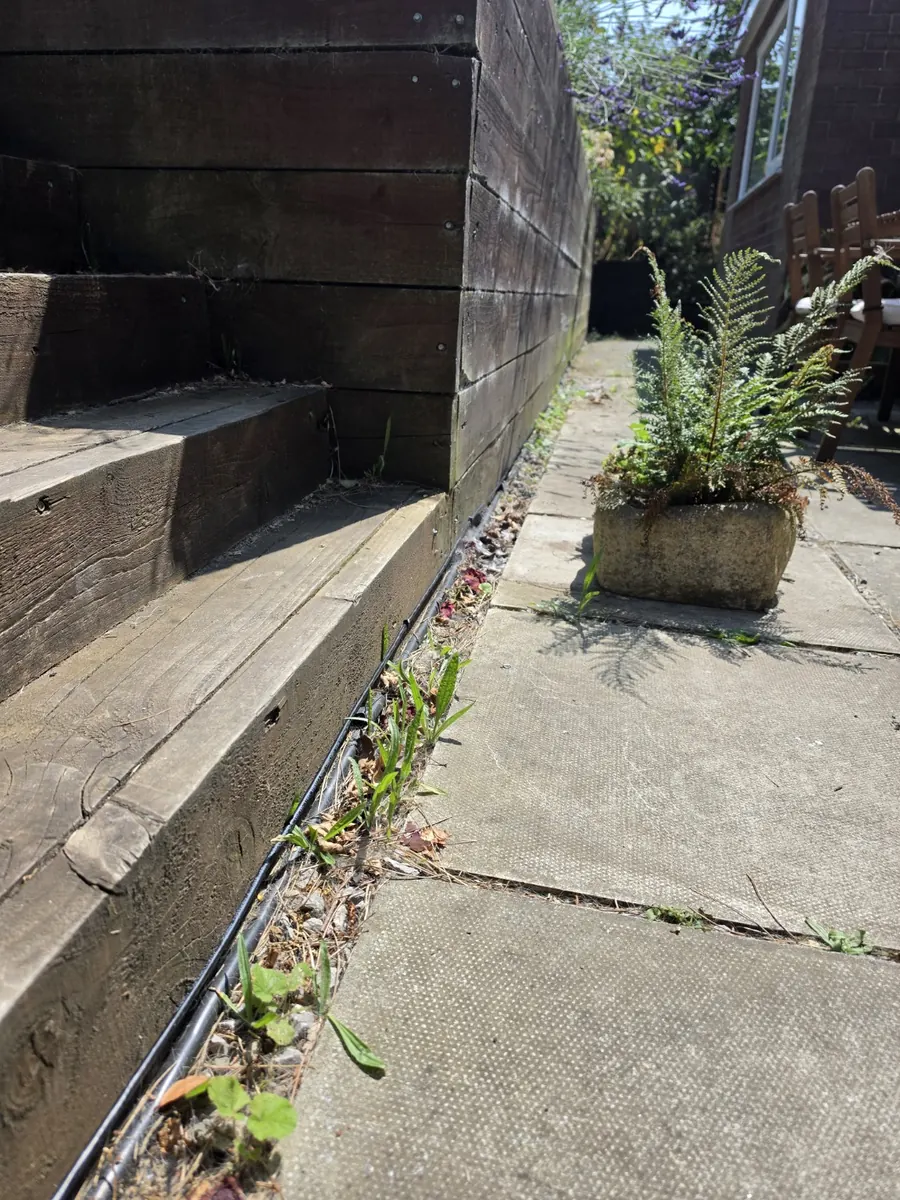
Can Ethernet cable be run outside?
Yes, with a specification suitable for the environment. Sunlight, moisture, temperature and physical damage all affect the choice. Cable category describes transmission performance; it does not by itself establish that a cable is suitable for weather exposure, a wet duct or direct burial.
Check the exact manufacturer's application and installation requirements. Outdoor use, wet locations and direct burial are separate suitability questions. For example, Belden's published cable information distinguishes environmental suitability and mechanical protection. That is an illustration of what to check, not a specification for every garden or a claim about the cable used in Glossop.
Putting an unsuitable indoor cable into conduit does not automatically make the complete installation suitable outside. The cable, containment and transitions need to work together.
The route matters as much as the cable
Walk the whole route from the main network to the intended office outlet before choosing materials. Look at walls, fences, timber structures, paving, changes in garden level and existing ducts. Consider what will move, be replaced or need maintenance later.
A garden edge can be discreet, but it still needs checking for foot traffic, tools, gardening work and other exposure. A fence is not automatically a suitable permanent support: condition, ownership, movement and future replacement matter. The shortest line on a plan is not always the most maintainable route on site.
Agree who can authorise work along the route and how any access, excavation or making good will be handled. Existing services must be considered before drilling or digging. These decisions belong in the survey and agreed scope, rather than being left until a cable reaches an obstacle.
Running Ethernet along an outside wall
A wall route can be a sensible alternative to crossing an open area. Plan a clear line with suitable support, fixing and protection for the cable and surface. Avoid loose hanging sections, pinch points at doors and positions likely to catch ladders, tools or moving items.
Corners and changes in level need room for the cable's permitted bend, without pulling it tight or crushing it under fixings. Support intervals and fixing methods should follow the selected cable, containment and site conditions; one universal measurement is not a complete design. Decide the entry point before fixing the final approach to the building.
When conduit or ducting makes sense
Suitable containment can protect vulnerable sections, manage transitions or provide a route below ground. A well-planned duct may also make future replacement easier, provided its size, bends and access actually allow another cable to be drawn through. Conduit is not a guarantee of replaceability or a reason to ignore the cable's environmental rating.
If a conduit already exists, establish where it goes, whether it is usable, what else it contains and whether the proposed cable is suitable for the conditions inside it. Do not assume a visible opening means there is a clear, dry route all the way to the office.
Not every external cable needs to go underground. Where excavation is appropriate, the route, protection and depth need a site-specific design. HSE's guidance on avoiding underground services covers planning, locating services and safe excavation. This article does not replace that assessment or provide a generic trench-depth instruction.
Getting the cable into the building
Work backwards from the final data point. An entry close to the outside route is not useful if it leaves an unnecessary cable run across the office interior. Agree the outlet and access-point position, maintenance access and the route between them before making an opening.
The entry needs appropriate weather protection and a suitable cable transition for the building. Where structural details, specialist membranes or fire-stopping are involved, agree the method with the responsible building trade or designer. Coordinate separation from electrical services rather than sharing a route simply because there is space.
A real example: garden-office Ethernet in Glossop
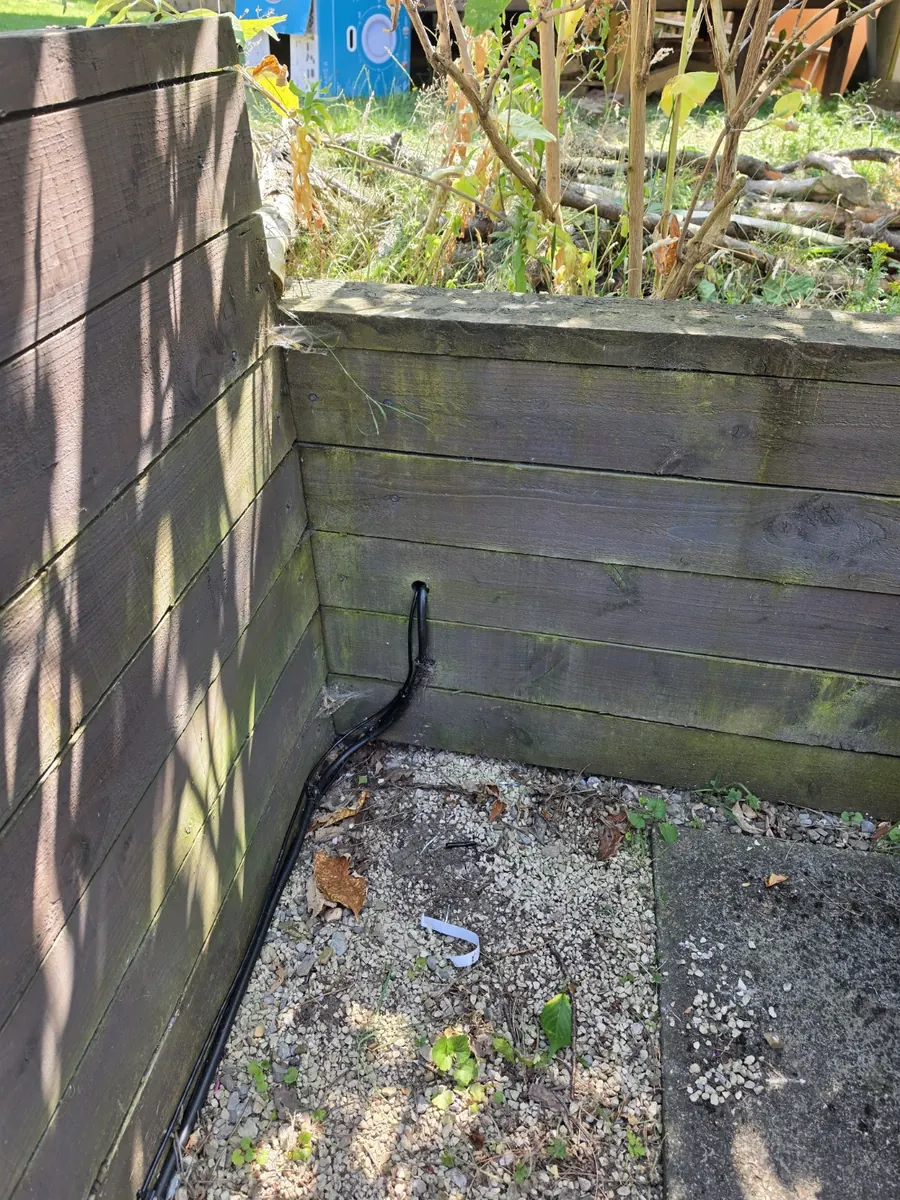
A Glossop homeowner wanted a dedicated access point inside a detached garden office. Evolution ran an external data cable around the property, down the timber sleeper wall and into underground conduit leading to the office.
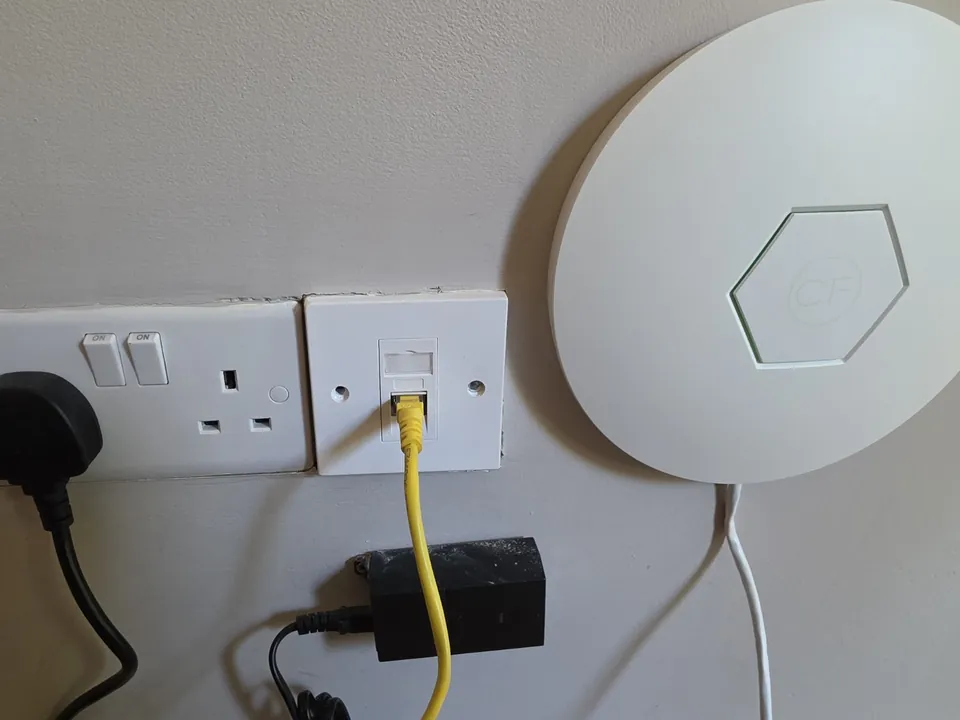
Inside, the cable terminates at a wall data outlet beside the access point, with a short patch connection feeding it. The route and internal endpoint were parts of the same installation: bring the network into the outbuilding, then provide Wi-Fi within the workspace.
The full Glossop garden-office Ethernet and Wi-Fi case study shows the wider garden context and completed connection. It is evidence of this route and installation, not a claim that the same method suits every outbuilding.
Why wired backhaul can work well for a garden-office access point
Backhaul is the connection carrying the network to the access point. With a suitable wired route, the path is main network → external cable → office outlet → local access point. The access point then provides Wi-Fi inside the garden office, rather than relying on the house's wireless signal to reach through the garden and into the workspace.
The connection still depends on the upstream service, network equipment, termination and configuration. A cable alone does not promise a speed or solve every wireless problem. Our garden-office Wi-Fi service considers both the route and the office coverage, while Wi-Fi and home network installation covers the wider property.
When copper Ethernet might NOT be the right answer
Copper should not be forced onto a route that is impractical or unsuitable. The full cable length, building separation, electrical relationship and surge or lightning exposure need assessment. Where those change the recommendation, fibre network cabling may provide a more suitable backbone. Fibre's data path is non-conductive, but any metallic cable components and equipment still need appropriate consideration.
Where a suitable radio path exists and a physical route would cause disproportionate work, a point-to-point wireless building link may make more sense. It also needs a surveyed design and a local network at the far end.
For the technology decision, use our fibre, Ethernet and wireless building-link comparison. The broader garden-office internet guide also considers mesh and independent internet connections. Those choices should be resolved before specifying a physical Ethernet route.
What we look at before routing a cable to an outbuilding
Frequently asked questions
Can I run normal indoor Ethernet cable outside?
Do not assume it is suitable. Check the exact cable's environmental rating and the full route. Sunlight, moisture and physical protection matter, and putting an indoor cable into conduit does not automatically make the installation suitable.
Does outdoor Ethernet cable need conduit?
It depends on the cable and route. Suitable containment can protect exposed or underground sections, but not every external installation needs the same treatment. The cable must also suit the conditions inside the containment.
How deep should a garden-office data cable be buried?
There is no universal depth recommendation for every property and route. Existing services, ground use, mechanical protection and the chosen installation method need assessment before excavation. Do not choose a trench depth from a generic blog rule.
Will a cable to the garden office give me Wi-Fi inside?
The cable carries the network to the office. A suitable access point or other correctly configured wireless equipment is then needed to provide Wi-Fi locally. Its position and connection back to the main network still need planning.
Clear written quotation before any chargeable work. Short-notice appointments may be available across Stockport, Greater Manchester and Cheshire.