
Quick answer
There are three common ways to extend the same network between separate buildings: copper Ethernet, fibre optic cable or a point-to-point wireless bridge. The right choice depends on distance, cable route, electrical conditions, bandwidth, line of sight and how permanent the installation needs to be. Fibre is often the strongest wired backbone between buildings; wireless can be excellent where trenching is impractical; copper suits some short, controlled routes but should not be treated as the automatic default.
The question usually starts simply: "How do I get the same network into the workshop, office, barn or second building?" The mistake is assuming the answer is always a longer Wi-Fi range extender or a single Cat6 cable thrown between the two buildings.
A proper building-to-building link has two jobs. First, it must carry the network reliably from Building A to Building B. Second, the remote building needs its own sensible local network — usually a switch, access point or other equipment — rather than trying to use the original building's Wi-Fi through walls and distance.
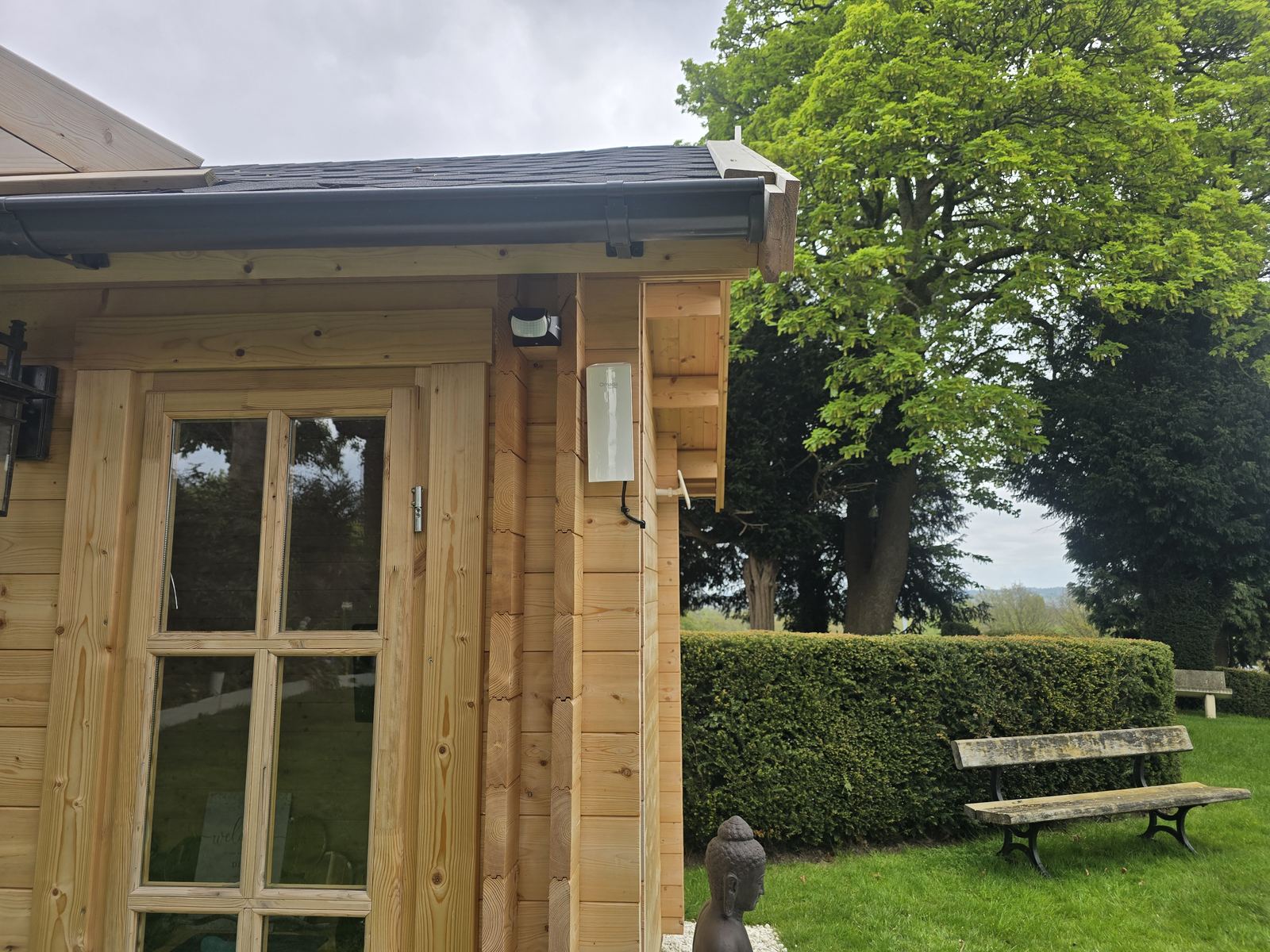
Competent design and site survey come before the cable choice
Quick answer
This comparison is not a construction, electrical or installation specification. A competent network designer must inspect the route and both buildings before recommending copper, fibre or wireless. Where electrical systems, excavation, structural openings or fire safety are involved, the relevant qualified designer or trade must confirm the method, protection, permissions and applicable building requirements.
For a buried route, HSE says planning, service information, locating devices and safe digging practices work together; a generic depth instruction is not a substitute for that process. Review the current HSE underground-cable guidance and, for relevant penetrations in England, the current Approved Document B fire-safety guidance.
How the three options change the risk, not remove it
The three main ways to connect two buildings
Option 1: copper Ethernet between buildings
Ethernet is familiar and relatively simple, which is why it is often the first idea. In the right situation, an outdoor-rated network cable can link two nearby structures and feed a switch or access point at the far end.
But separate buildings introduce issues that do not exist on a normal internal office cable run. The route may be exposed to weather, mechanical damage or lightning-related surges, and the two buildings may not share the same electrical conditions. The cable also has practical distance limits that need to be respected.
That does not make copper "wrong". It means it should be chosen because the site suits it, not because Cat6 is the cable everybody already knows. For a suitable copper route, our Ethernet installation service covers the cabling work.
Option 2: fibre optic cable between buildings
Fibre carries data as light rather than an electrical signal. That makes it particularly attractive for building-to-building network backbones because it can cover long distances, provide high capacity and avoid creating a copper electrical path between the two structures.
The trade-off is that the installation needs the right fibre type, route, termination method and compatible equipment at each end. It is not simply a case of pushing an Ethernet plug onto the end of a different cable.
For commercial sites, workshops, schools, care environments or multi-building premises where the link matters long-term, fibre is often worth considering early rather than treating it as an exotic upgrade. See our fibre optic network cabling in Manchester and the North West page for the installation scope we cover.
Option 3: point-to-point wireless bridge
A point-to-point wireless link uses a matched radio at each building to create a dedicated wireless bridge between them. This is very different from trying to blast normal indoor Wi-Fi across a yard.
It can be an excellent answer where the buildings have suitable line of sight but trenching, road crossings, hard landscaping or rented premises make a new cable route awkward. The remote radio then feeds the local network in Building B, where proper Wi-Fi access points or Ethernet can take over.
The catch is that wireless needs a suitable path. Trees, buildings, changes to the site and mounting positions all matter. If the route is permanent and ducting is easy, fibre may still be the better long-term backbone. If you want the route surveyed and the link designed and installed, use our point-to-point wireless installation service; we compare wireless, fibre and cable rather than forcing one method onto every site.
Why not just use mesh Wi-Fi between the buildings?
Mesh is designed to extend a wireless network, but a mesh node in a separate building still needs a strong backhaul connection to the rest of the system. If it is sitting behind exterior walls and across open space, the node can show a strong local signal while its own connection back to the main building is weak.
For a garden office a mesh kit may be perfectly adequate in some properties. For a business-critical workshop, office or CCTV network, a dedicated backbone is usually easier to understand and troubleshoot.
Which method is fastest?
Headline speed is not the only useful comparison. A correctly designed fibre link can support very high network capacity, while modern point-to-point radios can also provide substantial throughput. Copper Ethernet can be fast within its design limits.
The better question is: what capacity does the remote building genuinely need, and how predictable does the link need to be? A two-person office, a bank of CCTV cameras and a server or storage link are very different requirements.
What has to be installed in the second building?
The backbone only gets the network there. The remote building normally still needs a small local design. That might include a network switch, one or more Wi-Fi access points, CCTV connections, desk outlets or a separate VLAN depending on the site.
This is why we prefer to design the link as part of the wider network. A perfect fibre or wireless bridge can still deliver a poor user experience if the second building is then served by one badly placed router in a cupboard.
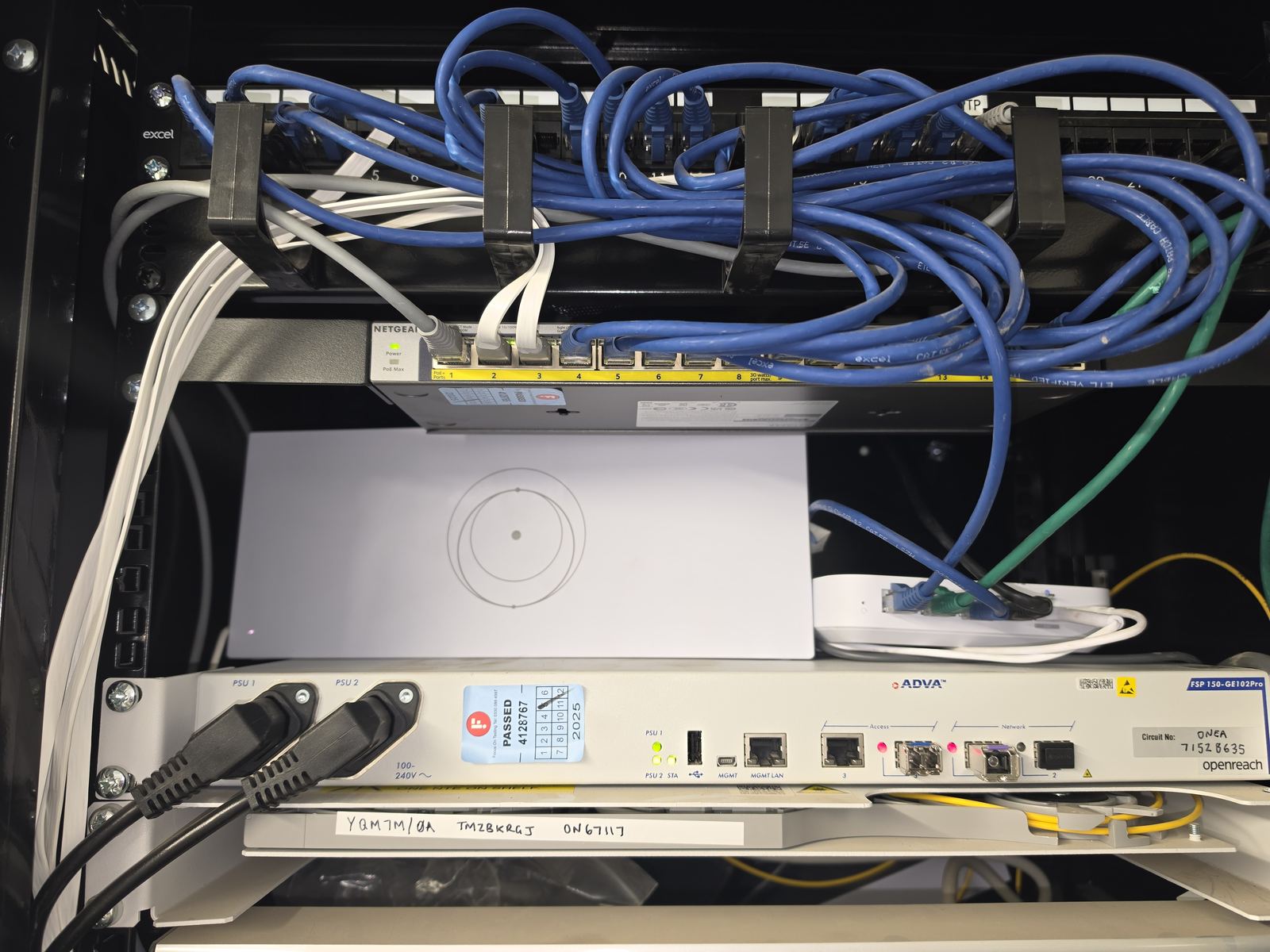
What to check when planning your building link
A useful building-link plan covers the route between buildings and the network at each end. The photographs above show examples of EDD network installations; your link needs its own assessment of distance, equipment and site conditions.
Compare options against the needs of your site and agree the checks before installation. Results depend on the route, equipment, configuration and test conditions, so the performance of one link is not a guarantee for another.
For a completed example, our Crewe Starlink and approximately 80m wireless-bridge case study shows the chosen equipment, route and measured handover result for that property.
A simple decision process
- Confirm the distance and route. Is there an existing duct, a viable trench or a clear wireless path?
- Define what Building B needs. A couple of laptops is different from cameras, VoIP, servers and many users.
- Consider permanence. A temporary site office and a permanent second building may justify different solutions.
- Check electrical and environmental factors. Do not assume a copper cable between separate structures is automatically the safest or neatest answer.
- Plan the local network at the far end. Decide how switching, Wi-Fi and devices will be connected once the backbone arrives.
- Choose the simplest method that meets the requirement. Do not install fibre because it sounds impressive, or wireless merely because it avoids digging.
What would we normally recommend?
We do not have a universal favourite. If there is a clean permanent duct route and the buildings need a strong long-term backbone, fibre can be the obvious answer. If the site has clear line of sight but digging is disruptive, point-to-point wireless can be extremely practical. If the buildings are close and the route is controlled, copper may still be appropriate.
For wider commercial network design, see our commercial network installation page. If the requirement is mainly a domestic garden room, the garden office and outbuilding internet guide covers the smaller-property options in more detail.
Frequently asked questions
Can I run Ethernet between two buildings?
Sometimes, yes. The route, distance, outdoor protection and electrical environment need to suit copper cabling. Separate buildings are one of the situations where fibre or a wireless bridge should also be considered rather than defaulting automatically to Cat6.
Is fibre better than Ethernet between buildings?
Fibre often has advantages for permanent building links because it supports long distances and does not create a copper electrical path between the structures. That does not mean it is necessary for every short or simple link.
How does a wireless bridge connect two buildings?
A matched radio is installed at each end. The radios create the dedicated link, and the remote radio feeds a switch, access point or other network equipment inside the second building.
Do two buildings need line of sight for point-to-point wireless?
A suitable clear radio path is important. Buildings, trees and mounting positions can affect reliability, so the site should be assessed rather than assuming any two outdoor points will work well.
Can both buildings use the same internet connection?
Yes. Once the network backbone is extended correctly, the second building can normally use the same upstream internet connection while still having its own local switching, Wi-Fi and network segmentation where required.
Clear written quotation before any chargeable work. Short-notice appointments may be available across Stockport, Greater Manchester and Cheshire.