
A reliable smart home depends on the network, but that does not mean every fault is caused by Wi-Fi or that one equipment list suits every property. The incoming broadband, wired network, wireless coverage, device, cloud service and configuration all need to be separated and tested before anything is replaced.
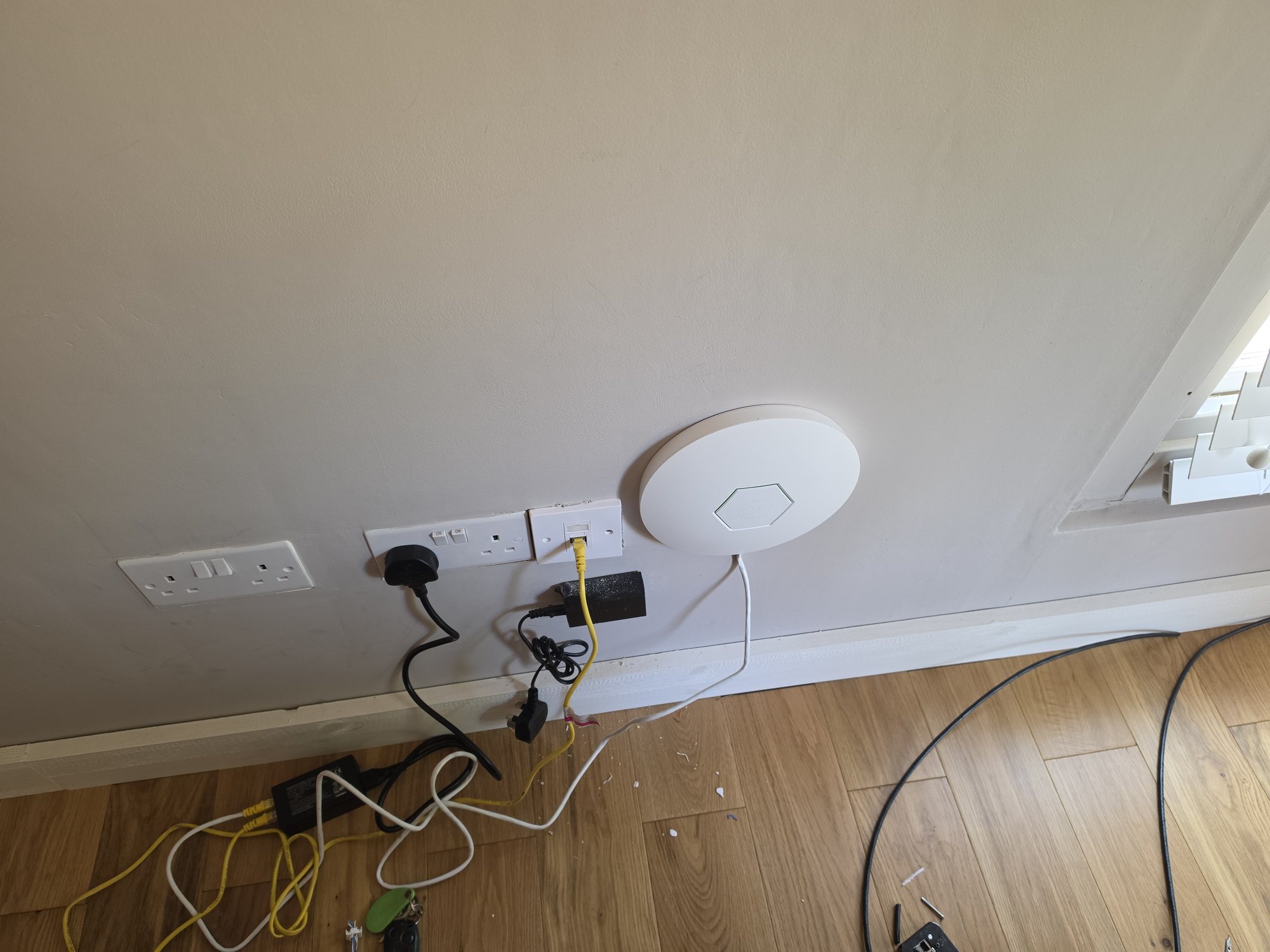
The pattern behind many smart-home faults
Cameras going offline, delayed doorbells, unreliable audio and slow controls can share a network cause, but they can also come from the internet service, power, firmware, device settings or a vendor cloud platform. Start by establishing which devices fail, whether the fault happens on the local network or only remotely, and whether wired and wireless clients are affected at the same time.
That evidence tells us whether to investigate the broadband connection, gateway, switching, Wi-Fi coverage, device or external service. It also stops a working router or smart device being replaced simply because it is the most visible part of the system.
Fault examples that point in different directions
- Network or incoming service: several unrelated wired and wireless devices lose internet access together, while local device control or recorder playback may still work.
- Device or local power: one doorbell, camera or controller restarts or disappears while other clients on the same switch or access point remain stable.
- Protocol or integration: a Zigbee, Z-Wave, Matter or manufacturer bridge stops passing one class of commands while ordinary IP connectivity remains healthy.
- Cloud or provider service: local controls continue to work but the vendor app, remote access, notifications or voice integration fails across more than one site.
- Electrical or control system: a hard-wired lighting, heating, blind or door circuit fails independently of the IP network and needs the relevant competent trade.
These patterns are starting points, not proof. Record timing, affected devices, local versus remote behaviour, power state and any platform status before replacing equipment or assigning the fault to the network.
What "the network" actually means
A designed home network can include:
- A gateway and firewall sized for the internet service, security features and any failover requirement.
- Switching with the required port capacity, uplinks and PoE budget for the selected devices.
- Wi-Fi access points positioned from the layout, construction and coverage requirement rather than a fixed rooms-per-access-point rule.
- Structured cabling for suitable fixed devices and access-point backhaul, with wireless retained where the device or installation requires it.
- Documentation covering patching, addresses, network names, device purpose, configuration backups and important support details.
The scale should match the property. A smaller home may be well served by a capable all-in-one router, while a larger or more demanding system may justify separate managed components.
Why a wired backbone can help
Wi-Fi is shared radio capacity and is affected by distance, construction, interference, channel use and client capability. Wiring suitable high-traffic or fixed devices can reduce avoidable wireless load and give access points a stable backhaul. It is still a design decision: many smart devices are wireless-only, and a cable is useful only when the selected equipment can use it.
See our guides on mesh versus access points, why Wi-Fi can be slow upstairs and when Cat6 is more useful than Wi-Fi.
VLANs do not create security on their own
A VLAN groups devices into a separate network segment. That separation becomes a security control only when the gateway, firewall or access-control lists define what traffic may pass between segments. Simply giving an IoT network a different name or VLAN number does not automatically stop it reaching trusted devices.
The policy should start with the communication that is genuinely required. For example, an app may need to reach a local controller, a recorder may need management access from selected devices, and an IoT device may need internet access without access to the main home network. Rules should be documented, limited to the necessary source, destination and service, and reviewed when equipment changes.
Discovery, casting and app setup need planned exceptions
Many speakers, TVs, printers and smart-home products use local discovery or multicast traffic. Moving them to another VLAN can stop casting, setup or app control even when normal internet access still works. Some gateways can relay selected discovery traffic between segments, but that is not a universal fix and should not become an unrestricted route around the firewall.
Test each important journey from the networks that will use it: initial setup, local app control, casting, voice assistants, notifications, recorder playback, guest access and remote support. Add only the exceptions that are required and verify that unwanted access remains blocked.
Credentials, updates and management access still matter
Segmentation does not compensate for default passwords, shared administrator accounts or neglected firmware. Use unique credentials, enable stronger authentication where supported, keep gateways, switches, access points and smart devices updated, and restrict management interfaces to the people and networks that need them. Keep a recoverable configuration backup and record any deliberate firewall exceptions.
Local control and cloud dependence
Whether lights, heating, entry or recording continue during an internet outage depends on the chosen products and configuration. Confirm that behaviour from current manufacturer documentation and test it before handover. A separate VLAN does not turn a cloud-dependent product into a locally controlled one.
The order to spend money in
- Define the required devices, critical functions, remote access and outage behaviour.
- Plan cable routes, equipment space and wireless coverage before finishes make changes harder.
- Choose the gateway, switching, PoE capacity and access points for the measured requirement.
- Write the network and firewall policy, including management and any cross-VLAN exceptions.
- Add devices in controlled stages and test the complete user journeys before handover.
That sequence makes faults easier to isolate and future changes easier to support. For the separate first-fix planning process, read what should be wired before plastering a smart home.
Full detail is on our Smart Home Automation page, with related services for data cabling, Wi-Fi and home networks, CCTV and larger managed networks.
Frequently asked questions
Does an ISP router always need replacing?
No. Test the actual service, wired performance, Wi-Fi coverage, device load and required features first. A capable all-in-one router can be proportionate for a smaller home; separate components are justified when the measured requirement exceeds it.
Does putting smart devices on a VLAN isolate them?
Not by itself. The VLAN creates a separate segment, while firewall or access-control rules decide what may pass between that segment and the rest of the network. The final policy must be configured and tested.
Why did casting or app control stop after segmentation?
The product may rely on local discovery, multicast or a direct connection that does not cross VLANs by default. Identify the required traffic and add the narrowest supported discovery relay or firewall exception, then retest both function and isolation.
Can existing smart devices stay?
Often, yes. Check current support, update status, connection method and required access first. The aim is to integrate serviceable equipment where sensible, not replace devices merely because the network is being improved.
How do you prove the design works?
Test the important journeys: internet access, local control, casting, notifications, remote access, recorder playback, guest isolation, management access and expected behaviour during an internet outage. Record the results and deliberate exceptions.
Does this only make sense for large houses?
No. The same diagnosis and least-access principles can be scaled down. The equipment and number of segments should remain proportionate to the property and support requirement.
Planning a smart home across Stockport, Manchester or Cheshire? Evolution Data & Digital designs and integrates complete technology systems — network, Wi-Fi, security, entertainment and control — for new builds, major renovations and existing high-value homes. See our Smart Home Automation page or call 0161 399 1757 to book a consultation.
Clear written quotation before any chargeable work. Short-notice appointments may be available across Stockport, Greater Manchester and Cheshire.