
Quick answer
A “No Storage” or “HDD Error” warning usually means the recorder cannot currently use its recording storage correctly. The cameras may still show live pictures. Do not immediately format or initialise the drive if existing footage may matter. First establish what the recorder can still see and whether the fault involves the drive, recorder, configuration, power or another part of the system.
This guide is for a recorder displaying a storage warning: “No Storage”, “HDD Error”, “Disk Error”, “No HDD”, “HDD Not Detected” or “Uninitialised” (sometimes spelt “Uninitialized”). The wording and menus vary between NVRs and DVRs. Record the exact message rather than treating every warning as the same diagnosis.
If footage may relate to an important event, preserve the current state before troubleshooting. Photograph the warning and note the recorder's displayed time. Do not change storage, recording or clock settings, format or initialise a disk, delete recordings or factory-reset the recorder. Use the incident and evidence process appropriate to the situation and seek specialist advice promptly.
What does “No Storage” or “HDD Error” actually mean?
The recorder is reporting that usable recording storage is unavailable, or that it has a problem communicating with or using that storage. HDD means hard disk drive. On a typical local recorder, the disk is where video is saved for later playback.
The warning does not automatically prove the cameras are faulty, the disk is definitely dead or the whole CCTV system needs replacing. “Not detected”, “abnormal” and “uninitialised” are useful clues, but their meaning must be checked against the exact recorder and its current state. Even a warning that later disappears deserves checking if recordings have been interrupted.
Why live view can still work when there is no recording storage
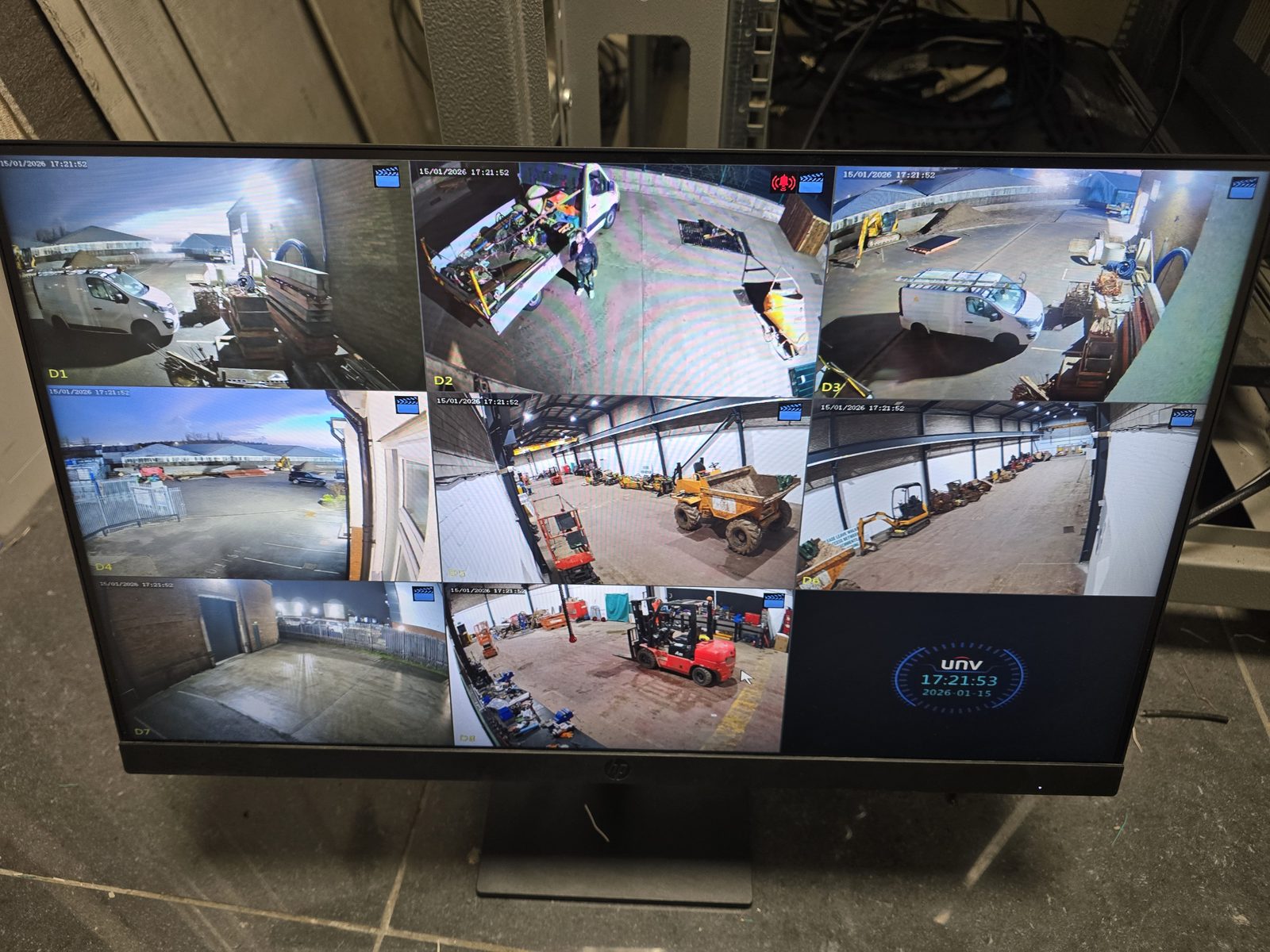
A live view can reach the screen from the camera through the network or coaxial connection and recorder. Playback adds another requirement: video must have been written to storage and remain available to read back. The display path can work while the recording path has a fault.
Some cameras or systems have other recording locations, but do not assume a backup exists without checking the actual configuration. For missing playback without a specific disk warning, our CCTV live-view but no-playback guide covers the broader recording, time and channel checks.
Common reasons a CCTV recorder reports a storage error
These are possibilities to investigate, not diagnoses that can be made from a warning alone. Start with what the storage/status page reports, without changing it.
Storage being full is another distinction. Some systems overwrite the oldest footage when configured to do so; others stop when their available allocation is full. Full storage and a failed drive are not interchangeable diagnoses. Read how CCTV retention and overwrite work for that separate issue, and leave overwrite settings unchanged if footage may be important.
What can you safely check first?
Keep the checks observational. If you are authorised to use the system and can reach the normal menus, collect the following without applying changes:
- Photograph the exact warning. Include any code and the screen on which it appears.
- Note the displayed date and time. Compare it with the real time and record any difference; do not correct the clock yet if footage matters.
- Record the affected cameras. Which have live pictures, and which show a warning or missing feed?
- Check whether ordinary playback opens for any period. Note what you can see without deleting, exporting over originals or changing recording rules. If evidence is at stake, follow the responsible person's preservation process before further access.
- View the storage/status page. Note whether a disk is listed and the capacity or status shown, without pressing repair, initialise, format or erase.
- Record when you discovered the issue. Note the last known successful playback, recent power cuts, maintenance or equipment changes.
- Note unusual behaviour. Audible warnings, repeated restarts or new mechanical noises are useful to report. Do not repeatedly reboot or open the recorder to investigate.
If the system is unstable or a drive sounds abnormal, stop repeated attempts and seek advice. If you cannot access the menus, photograph the visible warning rather than resetting the recorder to regain access. Our CCTV power-cut guide explains the wider power dependencies when an outage preceded the warning.
Stop before formatting the drive if footage matters
Quick answer
“INITIALISE”, “FORMAT” and “ERASE” can be destructive actions. If footage could relate to a crime, accident, dispute, safeguarding concern, insurance claim, workplace incident or another important event, do not use these as trial fixes. Do not factory-reset, delete footage or deliberately overwrite storage. Removing a warning is not the same as preserving recordings.
A recorder may offer to prepare storage so it can start recording again. That is a different objective from protecting what may already be on the disk. Formatting is intended to clear or recreate the storage structure and can make previous recordings unavailable; initialisation must also be treated as potentially destructive unless the exact process and data implications have been established.
For a manufacturer example, the AXIS S3008 manual explicitly describes formatting as erasing recordings. That is not a menu instruction for your recorder. Follow documentation for the exact model and obtain appropriate advice about preservation before any change if data may matter.
Restrict unnecessary access and keep a record of observations and any actions already taken. Ongoing recording may overwrite older footage, while an unplanned shutdown can also affect the system. Do not guess at an isolation method: contact the responsible incident lead or an appropriate CCTV/digital-evidence specialist promptly so preservation can be planned for the actual equipment. Where police or another authority are involved, follow their instructions.
Does an HDD error mean the hard drive needs replacing?
Not automatically. A drive fault is one possibility, alongside a recorder, configuration, connection or power problem. Diagnosis should establish which part is failing and whether the rest of the system remains serviceable.
If storage replacement is justified, the replacement needs to suit the recorder and recording requirement. Before removing or reusing the old drive, agree what happens to it and whether its data needs preserving. A new disk can restore recording capacity without recovering the footage that was missing from the old one.
Can CCTV footage be recovered from a failed hard drive?
Sometimes recovery may be possible, but it cannot be promised. It depends on the failure, recorder and storage format, the condition of the data and what happened after the fault. Some footage may never have been recorded, and overwritten footage should not be assumed recoverable.
If the footage is important, avoid further destructive changes and seek appropriate specialist advice before attempts at repair. Do not connect the disk to a computer and accept a prompt to initialise or format it. Repairing a CCTV recording fault and specialist data recovery are different services; an engineer visit must not be taken as a promise of forensic recovery.
How to avoid discovering the problem only after an incident
Periodically play back a recent recording from the cameras that matter, rather than only opening live view. Check that the expected periods are present, the system time is sensible and warnings have not been ignored. Repeat a practical recording check after authorised maintenance or a power event once the system is back in normal use.
Investigate recurring storage alerts even if live pictures look normal. A useful routine confirms recent recordings exist and can be played; it does not rely solely on a green status icon. The appropriate frequency depends on the system's purpose and the consequences of discovering a gap later.
How Evolution approaches a CCTV storage fault
We first establish the symptoms, recent changes and whether footage needs preserving. We then separate the camera, recorder, storage, network and power parts of the system, inspect the recording state and agree the appropriate next step. That may involve configuration or a component repair or replacement; it should follow the diagnosis.
Serviceable cameras and cabling do not need replacing simply because a recorder shows an HDD warning. If a new system is justified after assessment, our CCTV installation service covers that route. For an existing storage warning, fault-finding is the sensible starting point.
Frequently asked questions
Why does my CCTV say No Storage?
The recorder is reporting that usable recording storage is unavailable. It may not detect the expected disk or may be unable to use it correctly. The message alone does not establish whether the drive, recorder, connection, power or configuration is responsible.
Does HDD Error mean my CCTV hard drive has failed?
Not necessarily. A failing drive is one possibility, but recorder, connection, power or configuration issues can also be involved. Record the exact warning and current storage status before deciding what needs replacing.
Why can I see CCTV live but nothing is recording?
Live display and recording use different parts of the system. The recorder can receive camera pictures while being unable to write them to usable storage. Seeing a live picture does not confirm that footage has been saved.
Should I initialise the CCTV hard drive?
Not as an immediate fault-finding step. Initialisation can be destructive. First establish the exact recorder instructions and whether the drive contains footage that needs preserving, especially when a previously working system suddenly reports uninitialised storage.
Will formatting my CCTV hard drive delete footage?
Treat formatting as destructive: it can erase recordings or make them unavailable. Do not format if footage may matter until preservation and the exact process have been assessed. Do not rely on being able to recover data afterwards.
Can CCTV footage be recovered from a failed hard drive?
Recovery depends on the failure, recorder format and condition of the data; it is not guaranteed. Avoid further destructive changes and seek appropriate specialist advice where the footage is important. Footage that was never recorded cannot be recovered from that disk.
Clear written quotation before any chargeable work. Short-notice appointments may be available across Stockport, Greater Manchester and Cheshire.