
Quick answer
A business waiting for fibre can sometimes use an installed 4G, 5G or Starlink connection in the meantime. Choose the incoming service from measured site conditions, then plan the router, cabling and Wi-Fi needed to reach the staff and devices. Getting a SIM router online in one corner is only the first part of the job.
The desks are in, staff have a moving date and the broadband order is still waiting for activation. A temporary connection can bridge that gap, provided it supports the work the business actually needs to do. Start with those tasks and the likely duration, rather than ordering whichever router advertises the biggest speed.
This guide covers customer-owned installed connectivity. EDD’s temporary site internet service covers suitable interim installations for new premises, site offices and temporary workplaces. It is not an equipment-rental or event-hire service.
Different temporary premises need different designs
A new office waiting for FTTP or a leased line may need meetings, cloud files, phones and a printer working from day one. A relocation may also require a VPN or an application tied to the old public IP address. Check those dependencies with the relevant IT or software provider before the moving day.
A construction site may need connectivity across welfare cabins, a site office and operational equipment. Metal cabin walls, changing site layouts, vehicle routes and exposed cable paths affect the design. Construction site Wi-Fi is the local distribution network, not simply another name for the incoming mobile service.
A pop-up shop might mainly need a till, card terminal and stock system. Check which devices require Ethernet, which use Wi-Fi and whether any have their own mobile connection. A short trading period does not justify a complicated network automatically, but it does make testing before opening especially useful.
Events can bring a separate high-density requirement, temporary power and unfamiliar equipment. A router that works in an empty venue does not establish that it will serve a crowd. Specialist event connectivity and hire sit outside EDD’s current offer.
Choose the connection from the site
Test more than a single download result. Uploads, delay, interruptions and busy-period behaviour matter for meetings and cloud work. Mobile capacity can vary with local demand, while a phone test outdoors may not represent a router inside the building. Compare realistic options before committing to equipment and service terms.
When an external mobile antenna helps
A suitable external antenna can help where the building or router position compromises mobile reception. Its compatibility, location and cable arrangement matter. Better reception does not create extra capacity on a congested mobile network, and a long unsuitable antenna lead can undermine the benefit.
Teltonika’s mobile signal guidance distinguishes signal measurements and placement considerations. The practical decision still needs a test at the site. Our 4G and 5G installation service covers that customer-side setup.
When Starlink deserves consideration
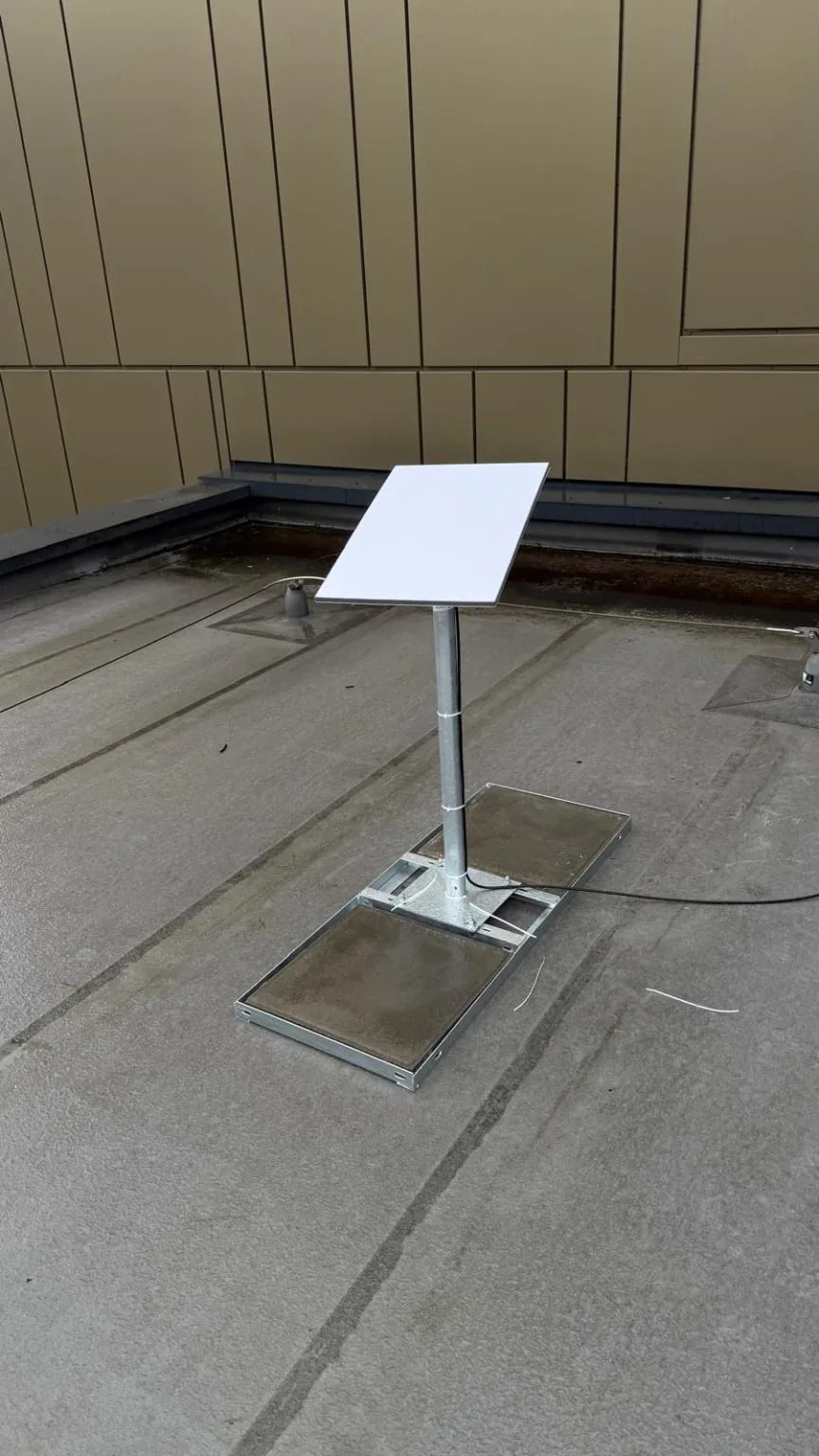
Where terrestrial options are poor, satellite may provide a useful alternative. It needs a suitable installation position and service, not just an available patch of roof. Trees, nearby structures, permissions and the cable route should be assessed. For that physical installation scope, see Starlink installation.
Make the connection reach the working areas
The best position for receiving mobile signal may be the worst position for serving staff Wi-Fi. It is often sensible to separate those roles: place the incoming equipment where the connection works, then distribute the network through suitable cabling, switches and access points.
A router used temporarily still needs enough suitable ports, an appropriate firewall and a maintainable power arrangement. Fixed tills, printers and other operational devices may need wired connections. Staff and guest traffic may need separation. Across several cabins, assess the links between them as well as the Wi-Fi inside each one.
Our guide to connecting separate buildings explains the backbone options. For coverage within the premises, the business Wi-Fi survey guide explains what to measure.
Check operational equipment before relying on it
Ask the payment, EPOS, CCTV or business-software provider about connection requirements. Some services use carrier-grade NAT, where customers share a public address; that can affect inbound remote access. A VPN, fixed-IP allowlist or remote-viewing arrangement that worked on the old circuit may need a different setup.
Confirm data allowances, permitted use, subscriptions, account ownership and who handles a service fault. Do not assume that “unlimited”, a static address or a particular activation date is included. Agree a controlled test of the actual business tasks, rather than treating a successful web search as handover.
Plan the move to the permanent line
Where the equipment supports it, keeping the local network behind the same gateway can simplify the later change of incoming service. It still requires configuration and testing. Confirm addressing, firewall rules, provider handoff and application requirements before switching the WAN.
Schedule the change, test the permanent connection and retain a rollback option until the important tasks work. The interim connection may then serve as backup if its subscription, equipment and gateway arrangement suit that role. Our business backup internet guide explains that next decision.
Send EDD the postcode, working areas, opening or moving date, devices that must connect and what you know about the permanent order. We can assess a proportionate installed interim connection. The quotation should state the installation scope, equipment availability and any service dependencies.
Clear written quotation before any chargeable work. Short-notice appointments may be available across Stockport, Greater Manchester and Cheshire.